Home Blog

Blog & Articles

Stay updated with the latest insights and trends in IT and technology

Patch Management ป้องกันช่องโหว่ก่อนสายเกินแก้
Cybersecurity 13 ก.พ. 2569 0

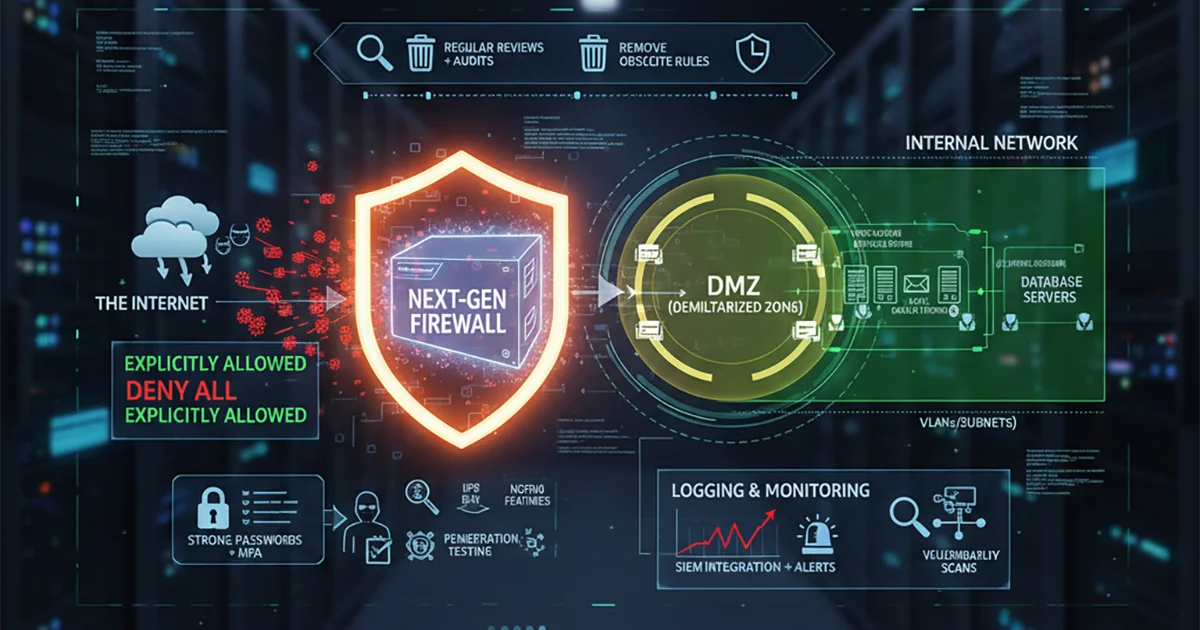
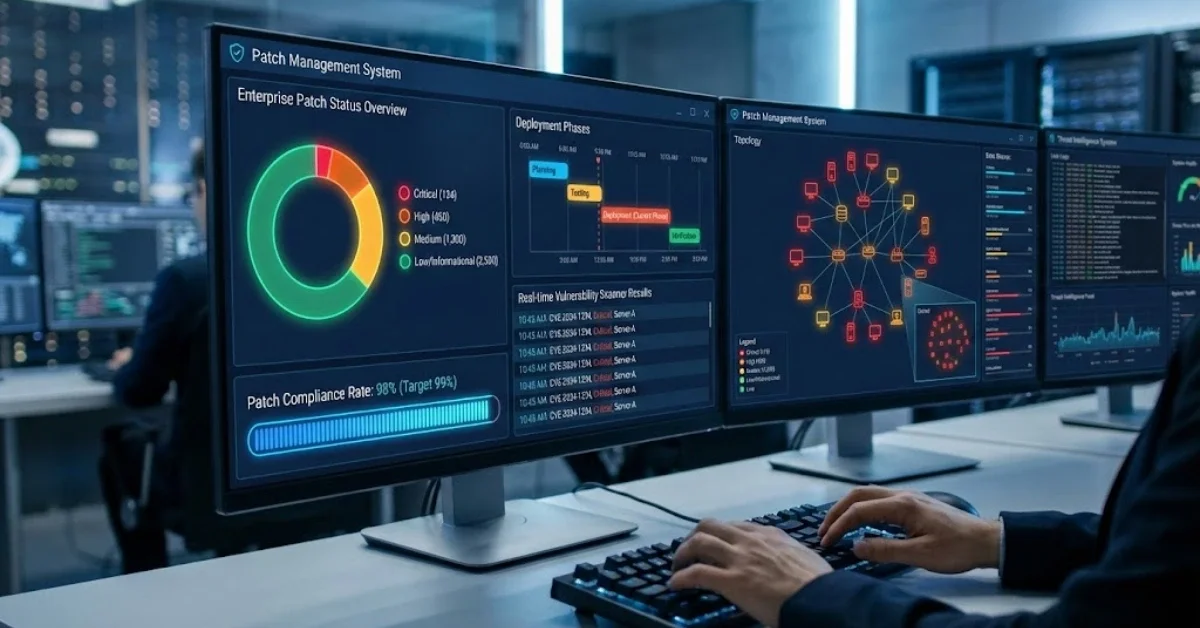
In the digital age where cyberattacks are becoming increasingly sophisticated and severe, organizations face tremendous challenges in maintaining the security of their vast IT systems. One critical strategy that should never be overlooked is Patch Management - the systematic process of managing software patches that helps close security vulnerabilities before hackers can exploit your systems. Neglecting Patch Management can result in devastating consequences including data breaches, reputation damage, and immeasurable financial losses. According to cyberattack statistics from 2024-2025, over 60% of successful attacks exploited vulnerabilities that already had patches released, but organizations had not yet updated their systems. This demonstrates the critical importance of having effective and up-to-date Patch Management practices in place. Example of a Patch Management dashboard showing device update status across the organization Why Patch Management Is Critical Right Now As cybersecurity experts at KTNBS, we have witnessed numerous case studies where organizations suffered from attacks due to inadequate Patch Management systems. Managing patches isn't just about clicking the "Update" button - it's a systematic process that requires planning, testing, and continuous monitoring. Security vulnerabilities arise from various causes, including coding errors, incomplete system designs, or the discovery of new attack methods. Software developers create patches to fix these vulnerabilities, but without an effective Patch Management process, these patches remain unused and vulnerabilities stay open. Risks of Poor Patch Management Ransomware Attacks: Hackers frequently exploit unpatched vulnerabilities as entry points to encrypt data and demand ransom payments Data Breaches: System vulnerabilities can be exploited to steal critical organizational and customer data System Downtime: Certain vulnerabilities can cause systems to malfunction or completely shut down Reputation Damage: When successful attacks occur, organizations lose trust from customers and partners Remediation Costs: Post-incident remediation costs are exponentially higher than prevention For more detailed information about current cybersecurity threats, you can read our Cybersecurity Trends 2025 article, which will help you understand the overall risk landscape organizations are facing. Key Components of Effective Patch Management Systems A good Patch Management system must consist of multiple components working together. It's not just about downloading and installing patches, but requires systematic planning and execution as follows: 1. Assessment and Prioritization Not all patches carry equal importance. Effective Patch Management must be able to assess vulnerability severity and potential impact on organizational systems. Factors to consider include: CVSS Score: Standard score measuring vulnerability severity (0-10) Exploitability: Whether exploit tools are publicly available Asset Criticality: How critical the system to be patched is to business operations Exposure: Whether the system is exposed to the internet or internal network only At KTNBS, we use a holistic risk scoring system that considers all these factors to ensure high-priority patches are installed first within appropriate timeframes. 2. Testing Installing patches directly in production systems without testing can cause more harm than the original vulnerability. A good Patch Management process must include testing in an environment similar to the actual system (Staging Environment) to verify that: Patches can be installed successfully They don't impact existing system functionality They don't conflict with other installed software System performance remains at acceptable levels For organizations with critical systems requiring 24/7 operation, we recommend thorough testing with clear rollback plans in case problems occur, aligning with our IT Infrastructure Management services that prioritize business continuity. 3. Deployment Planning After testing, implementing Patch Management in production requires careful planning, considering: Maintenance Window: Optimal time for patch installation without impacting usage Phased Rollout: Staged installation starting with test groups before organization-wide deployment Communication: Advance notification to users Backup Strategy: Data backup before patch installation 4. Monitoring and Reporting Patch Management doesn't end at installation completion but requires continuous monitoring to verify: Whether patches installed successfully on all devices Which devices haven't received patches (Compliance Rate) Whether post-installation issues occurred Average patch installation time (Mean Time to Patch) A good reporting system helps IT managers assess process efficiency and make continuous improvements. Common Patch Management Challenges Organizations Face Despite understanding the importance of Patch Management, many organizations still struggle with effective implementation. Common challenges include: 1. Lack of Resources and Personnel Many organizational IT teams have such heavy workloads that they don't have time for systematic Patch Management. Patch installation becomes a task done only when time permits, which is insufficient against continuously emerging threats. 2. Diverse and Complex Systems Modern organizations typically have diverse IT systems, from Windows and Linux servers, network devices, cloud systems, to IoT devices. Managing patches for each platform requires different tools and expertise. 3. Legacy Systems Not Supporting Patches Some older systems may no longer receive patch releases, or patch installation might cause system malfunctions. This forces organizations to either accept risks or find alternative protection methods. 4. Fear of Downtime Many organizations hesitate to install patches due to concerns about system downtime, especially for systems requiring 24/7 operation. However, delaying patch installation continuously increases risk. At KTNBS, we understand these challenges and offer Patch Management as a Managed Service solution that helps lighten the burden on your IT team, from risk assessment and patch testing to installation and monitoring. Best Practices for Successful Patch Management From our experience managing IT systems for over 26 clients at KTNBS, we've compiled best practices for effective Patch Management: 1. Create Clear Patch Management Policy Organizations must have clearly defined policies specifying: Which patch types must be installed within how many days (e.g., Critical = 7 days, High = 30 days) Who is responsible for each step Approval process for critical systems Testing standards that must be passed before installation 2. Use Appropriate Tools Manual Patch Management for large organizations is impractical. Automation tools are necessary, such as: Microsoft WSUS/SCCM for Windows Red Hat Satellite for Linux Third-party tools like ManageEngine, Ivanti, SolarWinds Cloud-based solutions for organizations using hybrid environments These tools enable overview visibility of patches requiring installation, automated scheduling, and efficient reporting capabilities. 3. Create Proper Testing Environments Investing in good testing systems reduces risks from problematic patches. You should have: Test environments similar to production Automated testing suites Tested rollback procedures 4. Maintain Comprehensive Asset Inventory You cannot perform Patch Management effectively without knowing what devices exist in your system. You must maintain an always-updated asset database including: Hardware and software installed on each machine Software versions and already-installed patches Responsible parties and criticality of each system Dependencies between various systems Having good asset inventory helps ensure Patch Management accuracy and covers all organizational systems. 5. Communicate Regularly with Stakeholders Patch management isn't solely the IT team's responsibility. Communication is needed with: Executives: Regular status and risk reporting Business Owners: Coordination on maintenance windows End Users: Advance notification of patches that may impact usage Security Team: Exchange information about new threats and vulnerabilities 6. Conduct Regular Vulnerability Scanning Besides tracking patches from vendors, regular system vulnerability scanning should be performed to discover potentially overlooked weaknesses. Vulnerability scanner tools help examine systems and report discovered vulnerabilities with remediation recommendations. KTNBS's Cybersecurity team provides Vulnerability Assessment and Penetration Testing services to help organizations discover and fix vulnerabilities before they can be exploited. Case Study: Patch Management Success in Manufacturing Organization One of our manufacturing sector clients experienced a ransomware attack exploiting the EternalBlue vulnerability, which had a patch released over 6 months prior but remained uninstalled on multiple systems. This resulted in a 3-day production line shutdown and losses exceeding $1.5 million. Subsequently, we helped design and implement a comprehensive Patch Management system for this organization, consisting of: WSUS system installation for managing Windows Server and Workstation patches Development of Patch Management Policy defining installation timeframes by severity level Creation of test environment for patch testing before production deployment Installation of vulnerability scanner system with automated weekly scans Development of real-time patch status reporting dashboard Results after 1 year of operation: Patch Compliance Rate increased from 45% to 98% Mean Time to Patch for Critical Vulnerabilities reduced from 45 days to 5 days No security incidents related to unpatched vulnerabilities 80% reduction in downtime from security issue remediation This example demonstrates that effective Patch Management can genuinely prevent serious damage. New Technologies and Trends in Patch Management The world of Patch Management continues to evolve with interesting new technologies and concepts: 1. AI/ML-Powered Patch Management Using artificial intelligence to analyze and prioritize patches by considering multiple factors simultaneously, including predicting potential risks from individual vulnerabilities. 2. Zero-Touch Patching Automated patch installation without human intervention. Systems test, install, and verify results entirely automatically. 3. Container and Microservices Patching Patch management for modern platforms like Kubernetes and Docker that are complex and require different approaches from traditional systems. 4. Cloud-Native Patch Management Tools specifically designed for cloud and hybrid cloud environments that can manage patches for both on-premise and cloud workloads from a single point. 5. Virtual Patching For systems that cannot install patches, virtual patching techniques are used by configuring WAF (Web Application Firewall) or IPS (Intrusion Prevention System) to prevent attacks through those vulnerabilities instead. Patch Management and Compliance Standards Effective Patch Management isn't just about security but also required by various standards and regulations, such as: ISO 27001: Requires systematic technical vulnerability management PCI DSS: Requires critical patch installation within 1 month GDPR/PDPA: Neglecting Patch Management may constitute inadequate personal data protection NIST Cybersecurity Framework: Contains vulnerability management requirements Organizations requiring compliance audits for these standards must demonstrate evidence of effective Patch Management processes with audit trails. KTNBS has experience helping organizations prepare for various standard audits, including necessary documentation and evidence preparation. Details available at our Compliance & Security Audit services. Costs and ROI of Patch Management Many organizations view Patch Management investment as expensive, but compared to potential costs from attacks, this investment proves highly valuable. Potential Costs from Poor Patch Management Downtime: System downtime can lose millions per hour in revenue Data Breach: GDPR/PDPA fines can reach millions of dollars Ransomware: Ransom payments and system recovery costs Loss of Reputation: Customer trust erosion Legal Costs: Legal expenses and lawsuits Investment in Patch Management Software and Tools: $3,000 - $15,000/year depending on organization size Personnel: Managed services are more cost-effective than full-time staff Infrastructure: Test environments and backup systems Training: Team training programs ROI from good Patch Management typically shows results within 6-12 months, measured by reduced security incidents and system downtime. Getting Started with Patch Management in Your Organization If your organization lacks an effective Patch Management system, here are recommended steps to begin: Step 1: Assess Current State Inventory all assets Check which patches remain uninstalled Identify high-risk systems Evaluate current IT team capabilities Step 2: Define Policies and Procedures Create clear Patch Management policies Define installation timeframes by severity Specify responsibilities for each step Develop rollback plans Step 3: Select Appropriate Tools Consider organization size and complexity Evaluate available budget Trial multiple tools Consider managed services if lacking resources Step 4: Pilot Implementation Start with small system groups first Test entire process Improve based on feedback Expand to other systems Step 5: Continuous Improvement Track KPIs and metrics Review and improve processes regularly Update with new technologies Provide ongoing team training Conclusion: Patch Management - Prevention Is Worth More Than Cure In an era where cyber threats are increasingly sophisticated and severe, having an effective Patch Management system isn't optional but essential. Preventing vulnerabilities before attacks is the most cost-effective approach in both time and budget. A good Patch Management system must include risk assessment, thorough testing, appropriate deployment planning, and continuous monitoring. It requires suitable tools, capable personnel, and clear processes. At KTNBS, we have over 10 years of experience managing IT systems and cybersecurity for leading organizations in Thailand. We offer comprehensive Patch Management services, from current state assessment, system design, tool installation, to continuous maintenance. Don't wait for unexpected incidents. Start building a robust Patch Management system for your organization today, because prevention is better than cure, and security investment protects both organizational assets and reputation long-term. Interested in Patch Management services or need cybersecurity consultation? Contact KTNBS team - we're ready to provide guidance and design solutions tailored to your organization.

Admin User
Read More
DuckKIT AI Portal แพลตฟอร์มบริหาร AI สำหรับ HR ควบคุมผู้ใช้และสิทธิ์จากศูนย์กลาง
AI & Automation 9 ก.พ. 2569 0

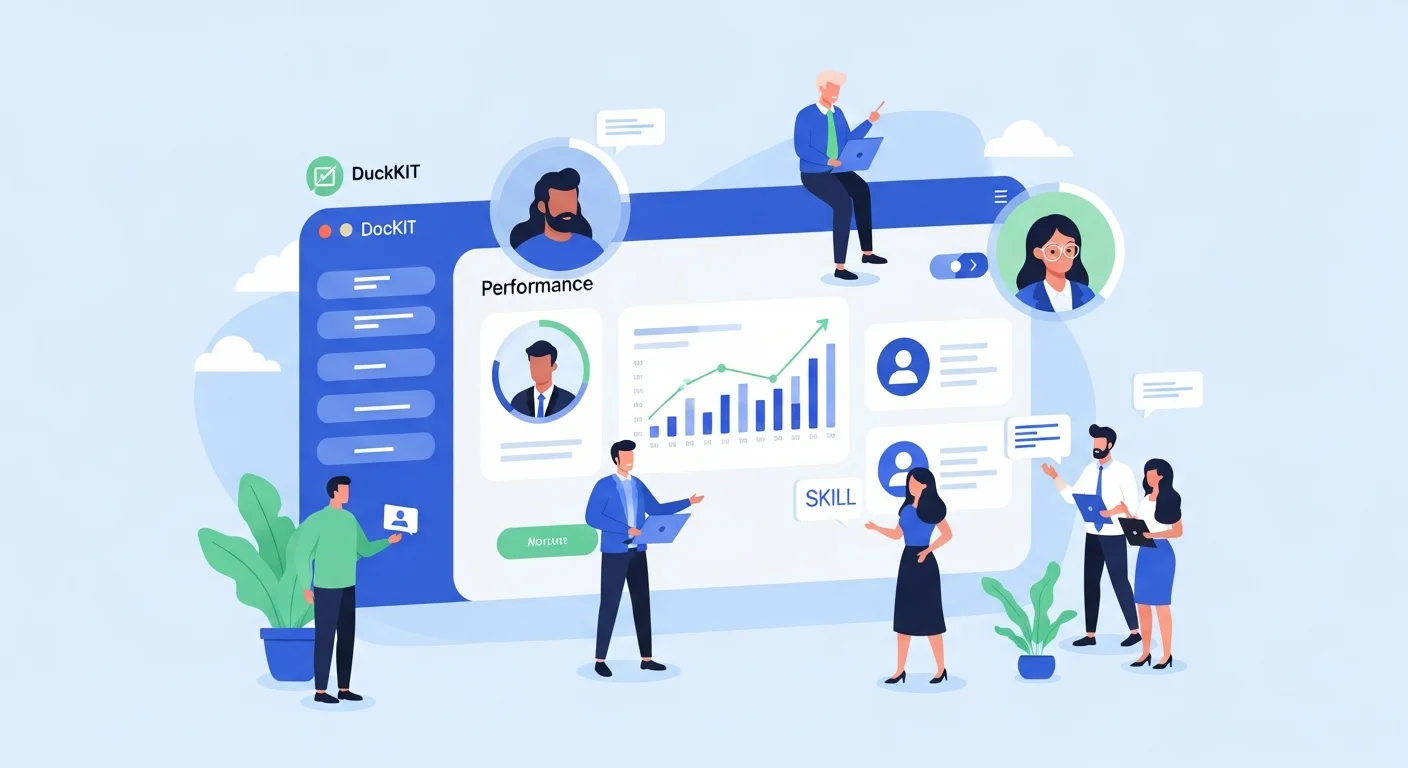
AI helps HR: Use DuckKIT AI Portal to manage your workforce

People Management in the Age of AI Is Changing Today, HR is no longer limited to administrative tasks or employee management. It has evolved into a strategic partner that drives organizational growth. Amid intense competition and rapid technological change, adopting AI in people management is no longer optional—it is inevitable. The key question is: how can organizations use AI safely, cost-effectively, and efficiently? This is where DuckKIT AI Portal comes in. What Is DuckKIT AI Portal? DuckKIT AI Portal is a centralized AI management platform designed to help organizations control and govern AI usage in a structured way. It covers everything from user and access management to real-time cost tracking and performance monitoring. Instead of allowing employees to use different AI tools independently, DuckKIT enables HR and management to oversee everything from a single dashboard—ensuring data security and keeping AI spending within budget. Why HR Needs DuckKIT Unstructured AI adoption can lead to several issues, such as: Employees subscribing to multiple AI services, causing costs to skyrocket Sensitive company data being sent to external AI tools without proper control Lack of visibility into which departments use AI the most and whether it delivers real value Complex and time-consuming access and permission management DuckKIT solves all of these challenges by giving HR full control through a single dashboard. Key Features That Empower HR 1. Granular User & Role Management DuckKIT’s User & Role Management allows HR to define access rights in detail. With seven system roles—from Super Admin and Admin to User and Viewer—each employee can access only what they truly need. Benefits for HR: Reduced data security risks Fast and scalable user management Clear access control aligned with organizational hierarchy For example, an HR Manager may have Admin rights to manage all employees, department heads may have User access for their own teams, and executives may be assigned Viewer roles to monitor overall usage. 2. Team & Project Management DuckKIT allows HR to organize conversations and templates by project or department. Teams can be invited with Owner, Editor, or Viewer roles to ensure structured collaboration. Use cases: Create an “Onboarding 2025” project for new hires Set up a “Performance Review Q1” project Manage a “Training & Development” initiative Each project can have dedicated AI templates and instructions to ensure consistency and best practices. 3. Access to Leading AI Models DuckKIT supports five leading AI providers with over 10+ models available, including: OpenAI: GPT-4o, GPT-4 Turbo, GPT-3.5 Turbo Anthropic: Claude Sonnet 4.5, Claude Haiku 4.5, Claude Opus 4.1 Google: Gemini 2.5 Pro, Gemini 2.5 Flash Perplexity AI: Sonar Pro, Sonar Reasoning DeepSeek: DeepSeek V3.2 Chat, DeepSeek Reasoner HR can choose the most suitable AI model for each task without switching platforms or managing multiple accounts. 4. AI Cost Optimization Unmanaged AI usage often leads to hidden costs and unused subscriptions. DuckKIT eliminates these inefficiencies by enabling centralized quota and usage control. How DuckKIT reduces costs: Set usage quotas by department or individual Monitor usage in real time with threshold alerts Analyze which AI models deliver the best ROI Deactivate unused accounts A mid-sized organization with 100 employees can save up to 40–60% in AI costs by using DuckKIT instead of individual AI subscriptions. 5. Enterprise-Grade Security DuckKIT enables HR to fully control data access and audit all activities through comprehensive Audit Logs and granular permission settings. Security features include: Full activity tracking (who did what, and when) Complete history of role and permission changes IP Whitelisting for controlled access OAuth 2.0 login support (Google, Microsoft) 6. Productivity Boost Employees gain instant access to best-in-class AI tools from a single platform, reducing app switching and repetitive work. Productivity features: Templates Library: Ready-made HR templates such as Job Description Generator, Interview Question Creator, and Performance Review Assistant Slash Commands: Use “/” to quickly invoke templates or special commands like /image File Upload: Upload PDFs, DOCX files, or images for instant AI analysis Response Customization: Adjust tone (Formal, Friendly, Analytical), language (TH, EN), and depth (Fast, Deep) 7. Centralized Control HR gains full visibility and control over AI usage through a comprehensive dashboard. Dashboard insights include: Real-time active user count Usage by department and project Total and forecasted AI costs Most frequently used AI models Usage metrics: prompts, tokens, images, and latency Conclusion: Why HR Should Choose DuckKIT AI Portal Modern people management requires more than experience—it demands powerful and intelligent tools. DuckKIT AI Portal is the answer for organizations that want to: ✅ Govern AI usage securely and systematically✅ Reduce costs and maximize AI ROI✅ Boost productivity across HR and teams✅ Manage users and permissions with precision✅ Access multiple leading AI models from a single platform With comprehensive features ranging from User Management and Project Management to Templates, Analytics Dashboards, and Audit Logs, DuckKIT empowers HR teams to elevate people management for the AI-driven era.  

Admin User
Read More
Migration Zimbra
Technology 6 ก.พ. 2569 0

Migration from Zimbra: Why migrate and where to migrate?

Zimbra migration has become a critical priority for IT administrators and organizations worldwide following Synacor's official announcement to discontinue development and support for Zimbra Open Source Edition. This decision impacts thousands of organizations globally that rely on Zimbra as their primary email and collaboration platform. Choosing the right migration path is not just about moving data—it's an opportunity to upgrade your organization's security capabilities, productivity tools, and cloud integration while future-proofing your email infrastructure for the next decade. Why Organizations Must Prioritize Zimbra Migration Now The decision to pursue Zimbra migration isn't simply a response to the end of support—it's a strategic move for long-term business continuity and enhanced security posture. Organizations currently running Zimbra face multiple escalating risks that cannot be ignored in today's threat landscape. 1. Escalating Security Vulnerabilities Without ongoing security patch updates from the vendor, continuing to use Zimbra exposes your organization to emerging cyber threats that evolve daily. Over the past 2-3 years, Zimbra has experienced several critical security vulnerabilities, including zero-day exploits that were actively used to attack enterprise organizations. The absence of vendor support means that when security issues arise, you'll need to remediate them independently or rely on community support that may lack the speed and reliability required for enterprise environments. Security risks increase exponentially without vendor support and regular patches 2. Rising Total Cost of Ownership While Zimbra is open source, the true cost lies in system maintenance, specialized expertise, and incident response. Without official support, organizations must maintain in-house IT teams with specialized Zimbra knowledge—expertise that commands premium salaries and is increasingly rare in the talent market. Based on our experience serving 26 enterprise clients, we've found that the long-term cost of maintaining legacy Zimbra environments often exceeds the investment in modern, fully-managed cloud email platforms that include automatic updates, 24/7 support, and built-in security features. 3. Feature Stagnation and Innovation Gap Systems that have stopped development lose access to innovative features that competitors continuously release, including AI-powered email management, advanced threat protection, intelligent calendar scheduling, and modern collaboration tools. Zimbra migration presents an opportunity to modernize your organization's capabilities and enhance employee productivity with cutting-edge tools that integrate seamlessly with today's hybrid work environments. Leading Platforms for Zimbra Migration: Comprehensive Comparison Once you've committed to migrating from your legacy email system, the next critical step is selecting the platform that best aligns with your organization's needs, budget, and technical requirements. As a Solution Architect with experience executing over 29 migration projects in 2025, I recommend three primary platforms that organizations most frequently choose for their Zimbra migration journey. 1. Google Workspace - The Cloud-Native Leader Google Workspace (formerly G Suite) stands as the top choice for organizations seeking a cloud-native platform with exceptional flexibility, 99.9% uptime SLA, and seamless integration across the modern technology ecosystem. Key advantages of Google Workspace for Zimbra migration include: Competitive Pricing Structure - Starting at $6 USD/user/month for Business Starter and $12 USD/user/month for Business Standard with 2TB storage per user Powerful Real-Time Collaboration - Google Docs, Sheets, Slides, Meet, and Chat enable simultaneous editing and seamless teamwork across distributed teams Enterprise-Grade Security - Built-in 2-Step Verification, advanced phishing protection, data loss prevention (DLP), and Vault for eDiscovery and compliance Intuitive Administration - User-friendly Admin Console with granular controls and automatic updates that don't disrupt business operations Mobile-First Architecture - Optimized performance on smartphones and tablets with native apps that match desktop functionality AI-Powered Features - Smart Compose, Smart Reply, and intelligent search capabilities that enhance productivity From our experience managing multiple Zimbra to Google Workspace migrations for enterprise clients, we've found that organizations prioritizing agility, remote work enablement, and cost-effectiveness consistently choose Google Workspace and report high satisfaction with the modern user experience and intuitive interface that requires minimal training. KTNBS's proven migration methodology ensures business continuity throughout the transition 2. Microsoft 365 - Enterprise Integration Champion Microsoft 365 (formerly Office 365) excels for organizations with existing on-premise infrastructure or those heavily invested in the Windows and Active Directory ecosystem. The advantages of choosing Microsoft 365 for your Zimbra migration include: Seamless Office Integration - Native integration with Word, Excel, PowerPoint, and Teams that most employees already know and use daily Advanced Exchange Online Features - Large mailbox capacity, extensive archiving capabilities, and comprehensive compliance tools for regulated industries Hybrid Deployment Flexibility - Robust support for hybrid configurations between on-premise and cloud, ideal for organizations requiring gradual transition periods Comprehensive Security and Compliance - Advanced Threat Protection (ATP), Information Rights Management (IRM), and support for standards including ISO 27001, HIPAA, and GDPR SharePoint and OneDrive Integration - Enterprise-grade document management and file sharing with version control and co-authoring capabilities Power Platform Integration - Build custom workflows and applications using Power Automate, Power Apps, and Power BI Microsoft 365 pricing starts at approximately $6 USD/user/month for Business Basic and $12.50 USD/user/month for Business Standard. While slightly higher than Google Workspace, it delivers exceptional value for organizations requiring the full Microsoft Office Suite and deep Active Directory integration. 3. HCL Domino - The Customization Powerhouse For organizations with specialized requirements, complex workflow applications, or need for extensive customization, HCL Domino represents a compelling alternative. While not a cloud-native platform, it offers distinct advantages for highly customizable enterprise email systems: Unlimited Customization Potential - Develop custom applications, complex workflows, and integrations tailored precisely to business requirements Military-Grade Security - Robust authentication systems and encryption capabilities suitable for government agencies and financial institutions Proven Enterprise Stability - System renowned for exceptional uptime, reliability, and support for high-availability configurations Database-Driven Architecture - Ideal platform for building sophisticated business applications beyond simple email functionality Complete Data Sovereignty - Organizations maintain full control over data and infrastructure without dependence on external cloud providers Legacy Application Support - Seamless migration path for organizations with existing Notes/Domino applications As an HCL Domino specialist with over 10 years of expertise, I've observed that organizations choosing Domino typically have stringent compliance requirements, need complete data control, or maintain legacy applications built on the Notes/Domino platform that would be costly to redevelop on alternative platforms. Professional Zimbra Migration Process: Step-by-Step Framework Executing a successful Zimbra migration requires meticulous planning to minimize downtime and eliminate the risk of data loss. Drawing from our experience with email migration projects (representing 34% of our total engagements), we recommend the following proven methodology: Phase 1: Assessment and Strategic Planning (1-2 Weeks) Conduct comprehensive current state assessment - user count, mailbox sizes, shared calendars, distribution lists, and custom configurations Document business requirements - essential features, budget constraints, timeline expectations, and compliance needs Select target platform and design coexistence strategy (if required for phased migration) Develop detailed migration runbook and stakeholder communication plan Identify and engage pilot users representing diverse use cases Phase 2: Preparation and Pilot Testing (1-2 Weeks) Provision new platform environment and configure DNS records, MX entries (staged for cutover) Create user accounts and implement security policies aligned with organizational standards Execute pilot migration with 5-10 representative users across different roles Validate data integrity - emails, contacts, calendars, and folder structures Develop comprehensive training materials and quick reference guides Establish support desk procedures and escalation paths Phase 3: Migration Execution (1-4 Weeks Based on Scale) Execute batch migration in manageable groups to minimize risk exposure Configure email forwarding or coexistence setup (for temporary dual-system operation) Monitor system performance and user experience in real-time Conduct post-migration data validation for each batch Address issues immediately with dedicated support team Communicate progress regularly to stakeholders and end users Sample migration timeline designed to minimize business disruption Phase 4: Post-Migration Support and Optimization (2-4 Weeks) Provide intensive user support during adaptation period Fine-tune system settings based on user feedback and performance metrics Monitor adoption rates and identify users requiring additional assistance Conduct post-implementation review and lessons learned session Complete knowledge transfer documentation and system handover Decommission legacy Zimbra environment following retention policy Zimbra Migration Best Practices for Guaranteed Success Synthesizing insights from numerous enterprise migration projects, we've compiled these best practices to ensure your Zimbra migration proceeds smoothly and delivers maximum value: 1. Never Rush - Invest in Thorough Planning Hasty migrations consistently lead to preventable problems. Allocate minimum 4-8 weeks for organizations with 50-200 users, scaling proportionally for larger enterprises. Proper planning reduces downtime, prevents data loss, and minimizes user confusion. The time invested in planning pays dividends through smoother execution and higher user satisfaction. 2. Maintain Continuous Stakeholder Communication Announce migration plans well in advance, conduct multiple training sessions, and establish dedicated help desk support. Users who understand the rationale for change and feel supported throughout the transition significantly improve project success rates. Create a comprehensive communication plan covering pre-migration announcements, during-migration updates, and post-migration support resources. 3. Always Conduct Pilot Testing Testing with a small representative group before full deployment reveals unexpected issues and enables process refinement. Select pilot users representing diverse use cases—both power users and light users—to validate the migration approach across the entire user spectrum. Pilot feedback is invaluable for adjusting the methodology before broader rollout. 4. Implement Comprehensive Backup Strategy Back up all Zimbra data before initiating migration and retain backups for minimum 3-6 months post-migration completion. This provides insurance against unforeseen data recovery needs and regulatory compliance requirements. Verify backup integrity through test restorations before beginning the migration. 5. Design for Coexistence Period Configuring Zimbra and the new platform to operate simultaneously during the transition period reduces risk and allows gradual user adaptation. Implement email forwarding, calendar sharing, and free/busy lookup between systems. Coexistence is particularly valuable for large organizations requiring phased migration approaches. 6. Define and Track Success Metrics Establish clear KPIs including migration completion rate, data integrity percentage, user satisfaction scores, system uptime, and support ticket volume. Regular measurement against these metrics enables course correction during the project and demonstrates value to organizational leadership. 7. Prioritize Change Management Technical migration represents only half the challenge—user adoption determines ultimate success. Invest in change management activities including executive sponsorship, champion programs, comprehensive training, and sustained post-migration support. Organizations that treat migration as a change management initiative rather than purely technical project achieve significantly better outcomes. Zimbra Migration Cost Analysis and ROI Calculation Making informed Zimbra migration decisions requires understanding both direct and indirect costs alongside long-term return on investment. Typical migration costs include: Platform License Fees - Monthly or annual subscription costs for new platform (Google Workspace: $6-24/user/month, Microsoft 365: $6-35/user/month depending on edition) Migration Service Fees - Professional services from migration specialists, typically $15-60/user depending on complexity, data volume, and customization requirements Training Investment - End-user training programs, approximately $750-1,500 for 100-user organization including materials and instructor time Productivity Impact - Temporary productivity reduction during transition (minimized through proper planning and phased approach) Infrastructure Changes - DNS modifications, firewall rules, and integration updates Conversely, return on investment from Zimbra migration includes: Reduced IT operational costs (elimination of specialized administrator salaries) Enhanced productivity through superior collaboration features and AI-powered tools Decreased security and compliance risk exposure Improved scalability and flexibility to accommodate business growth Better support for remote work and mobile workforce Access to continuous innovation and new features Reduced infrastructure costs (elimination of on-premise servers) Based on ROI analyses conducted for our clients, most organizations achieve full return on their migration investment within 12-18 months when accounting for IT cost reductions and productivity improvements. Forward-thinking organizations view migration not as expense but as strategic investment in digital transformation. Overcoming Common Zimbra Migration Challenges Understanding potential obstacles enables proactive mitigation. Common challenges in Zimbra migration projects include: Data Integrity and Completeness Ensuring complete migration of emails, attachments, contacts, calendars, and folder structures requires robust validation processes. Implement automated validation tools and conduct sample manual checks. Address encoding issues, special characters, and large attachments that may require special handling. User Resistance to Change Some users resist new platforms regardless of benefits. Combat resistance through clear communication of business rationale, hands-on training, readily available support resources, and executive sponsorship demonstrating organizational commitment. Calendar and Meeting Migration Complexity Calendars present unique challenges including recurring meetings, meeting invitations, and resource bookings. Thoroughly test calendar migration in pilot phase and provide clear guidance to users on managing calendars during transition. Third-Party Integration Dependencies Identify and update all systems integrated with Zimbra, including CRM platforms, ticketing systems, and custom applications. Catalog integrations early in planning phase to ensure adequate time for reconfiguration or replacement. Conclusion: Begin Your Zimbra Migration Journey with Confidence The imperative for Zimbra migration cannot be postponed, as security risks and technological limitations will continue escalating over time. Selecting between Google Workspace, Microsoft 365, or HCL Domino depends on your organization's specific requirements, budget parameters, and technical architecture. Each platform offers distinct advantages for different organizational profiles. Regardless of your platform choice, success hinges on thorough planning, comprehensive pilot testing, effective user communication, and partnership with experienced migration specialists. KTNBS delivers expert consultation and professional migration execution, leveraging over 10 years of email migration expertise and deep knowledge across all major platforms. If you're seeking a trusted partner for your Zimbra migration initiative, contact us today for complimentary consultation and customized migration roadmap tailored to your organization's unique needs. Our proven methodology minimizes risk, ensures data integrity, and maximizes user adoption to deliver successful outcomes for your digital transformation journey.

Admin User
Read More
Comparison of chaotic traditional factory vs modern Smart Factory 360 with automation and digital dashboards, highlighting 91
Technology 3 ก.พ. 2569 0

Smart Factory 360 ROI: Is it really worth it? Case Study

Smart Factory 360 ROI: Is It Really Worth It? A Deep Dive Case Study 🏭💸 Investing in a Smart Factory system is often perceived as a luxury reserved for "Industry Tycoons" or massive manufacturing conglomerates with unlimited budgets. Hearing buzzwords like AI, IoT, or Digital Twins often makes SME owners hesitate, thinking these technologies are "Too Expensive," "Too Complex," and "Unclear on Returns." 🤔 But today, we are going to shatter those misconceptions with hard data from Smart Factory 360°—a platform designed specifically to revolutionize the manufacturing sector. We will break down the ROI (Return on Investment) figures through a proven Case Study. You will see that transforming a traditional factory into a Smart Factory is no longer just an "option"—it is a "survival strategy" with a payback period so fast, it might just shock you! 😱💰 1. The Pain Points: Bleeding Profits (Until You Find the Cure) 🛑 Before analyzing the value, we must look at the "wounds" most factories are currently suffering from—issues that quietly drain your profits. Operational surveys reveal four major obstacles blocking factory growth: Unplanned Downtime: A factory manager's nightmare. Machines breaking down without warning. A production halt of just one hour can mean six-figure losses or penalties for delayed shipments. Low OEE (Overall Equipment Effectiveness) 📉: What is your true machine utilization rate? How much waste are you producing? Many factories cannot answer this, or they rely on "yesterday's data," which is too late to act upon, leading to massive missed opportunities. Data Silos 🧩: Production writes on paper, Maintenance logs in Excel, Management waits for end-of-month reports. Disconnected data turns the "Big Picture" into a "Mirage," causing slow and inaccurate decision-making. Hidden Production Costs 💸: Excessive energy bills, labor costs, and material waste. You know costs are high, but you can't pinpoint exactly where to cut because the "leaks" are invisible. If you find yourself nodding and thinking, "That's exactly my factory!"... then you are the patient who needs Smart Factory 360° as an immediate prescription. 💊 2. The Solution: What is Smart Factory 360°? 💡 Smart Factory 360° is not just software; it is a "Digital Operating System" for your factory, built on the philosophy: Visualize Everything, Optimize Anywhere, Succeed Everywhere 🌐. What sets this system apart is its role as an All-in-One Platform connecting every dimension: Smart Production: AI-driven production control and planning. Smart Maintenance: Shifting from "Fix when broken" to "Predictive Maintenance" (Forecasting breakdowns before they happen). Smart Quality: Utilizing AI Vision to detect defects more accurately than the human eye. Smart Energy: Reducing electricity bills by analyzing and managing Peak Loads. Smart Dashboard: Executives see everything on their mobile devices in Real-time. 📱 But the million-dollar question remains... "Does it actually make money?" Let's look at the numbers. 👇 3. Case Study Breakdown: Real ROI or Just Hype? 📊 To paint a clear picture, we will use a Real Investment Case Study from the "Co-Development Partners" program of Smart Factory 360°. This model reflects a medium-sized factory looking to upgrade to Industry 4.0. 💰 Part 1: The Investment For factories joining this program, the initial investment is "incredibly accessible" compared to purchasing a single new machine. Year 1 Investment Cost: 228,000 THB 🏷️(Discounted from the standard price of 357,000 THB - a near 40% saving for Early Adopters) Subsequent Year Cost (Subscription): Only 114,000 THB/Year For roughly 200k THB, you get a full suite of IoT, Cloud Server, AI Analytics, and Mobile Applications. The risk is incredibly low. But wait! Let's look at the "Returns." 📈 Part 2: Tangible Benefits Once the system runs, data flows, and AI analyzes, the result after 1 year is "Plugging Leaks" and "Boosting Output," translated into monetary value as follows: Operational Cost Reduction:Eliminating paper, reducing admin work, cutting unnecessary OT.👉 Saved Value: 600,000 THB/Year 💵 Downtime Reduction:System alerts before breakdown (Predictive Maintenance) allowing precise repair planning.👉 Recovered Value: 380,000 THB/Year ⚙️ OEE Improvement:Identifying bottlenecks allows for targeted fixes, faster production, and less waste.👉 Increased Output Value: 960,000 THB/Year 🚀 🏆 The Verdict When we combine the figures... Total Annual Benefits: ~2,000,000 THB Minus Initial Investment: 2,000,000 - 228,000 = Net Profit 1,772,000 THB! This translates into astounding financial metrics: 🔥 Year 1 ROI: 916%🔥 Subsequent Year ROI: 1,786% (Due to lower subscription costs)⏳ Payback Period: ~ 5 Months You read that correctly... Invest 200k, Return 2 Million. Breakeven in less than half a year. This is the power of Data that many overlook. 4. Why It Works? The Mechanics of Success 🧠 You might wonder, "Is this too good to be true?" The answer is "No." The losses in a Traditional Factory are often far more massive than you realize—you just "can't see" them. Smart Factory 360° acts as a "Spotlight" 🔦 illuminating the problems: Real-time Visibility: No more waiting for morning reports. When a machine starts to deviate, the graph screams immediately on your mobile, allowing you to fix issues in minutes, not days. AI-Driven Insights: The system doesn't just "show" data; it "thinks" for you. For example, AI suggests, "Replace bearing on Machine A in 3 days," allowing you to prep parts without halting the line. Digital Collaboration: When data lives on the Cloud, every department sees the same picture. The "Blame Game" disappears, replaced by Collaborative Problem Solving. 5. Conclusion: Don't Let Competitors Outpace You 🏁 An ROI of 916% is not just a statistic on paper; it is confirmation that Smart Manufacturing is not an "Option" but a "Survival Strategy" for the industry in an era of high labor costs and fierce competition. Investing 228,000 THB for a system that acts as an "Intelligent Brain" for your factory and generates a return of 2 million baht per year is an equation any smart business owner can solve in seconds. Today, the question isn't "Why should I build a Smart Factory?"It is "When will you start?" Because every day you hesitate is an Opportunity Cost you are paying for nothing... 💸 Ready to revolutionize your factory?Take the first step towards Industry 4.0 with Smart Factory 360° and discover that your factory can do much more than you think! 🏭✨ #SmartFactory360 #ROI #Industry40 #DigitalTransformation #FactoryAutomation #ManufacturingSuccess

Admin User
Read More
Dashboard Qlik Sense แสดงยอดขายและ KPI เรียลไทม์บนหน้าจอคอมพิวเตอร์และมือถือ
Case Studies 2 ก.พ. 2569 0

Dashboards that help boost sales: Qlik Sense Real Use Cases

Dashboards Aren't Just Pretty Charts—They Must Actually Drive Sales Many organizations invest in dashboards only to find they're not cost-effective because they start from the wrong place—designing based on attractive charts rather than starting with "business questions that need answers" such as who are the top performers, which products have the highest profit margins, which customer segments have growth potential or are at risk of leaving. Qlik Sense dashboards that actually drive sales must be designed to answer these questions in just a few clicks and enable immediate action. This article will show you real use cases from international businesses, along with dashboard ideas applicable to Thai businesses. 5 Qlik Sense Dashboard Ideas That Directly Increase Sales 1. Sales Performance & Pipeline Dashboard: Track Sales and Opportunities in Real-Time This dashboard is ideal for sales teams and sales managers who need to track performance and identify areas for improvement. Essential KPI Cards: Today's sales, this month's sales compared to targets (Target vs Actual) Growth percentage (Growth %) compared to previous month or year Number of active deals Leaderboard Rankings: Top 10 sales reps, branches, dealers, or regions ranked by sales and margin Leaderboard visualization stimulates team competition Pipeline & Conversion Funnel: Display the sales journey from leads → opportunities → quotes → closed deals to identify bottlenecks where customers drop off, then adjust sales scripts or promotions accordingly. Real-World Use Example: Sales managers open the dashboard every morning to see which sales reps are following up too slowly on pending deals, which major clients are about to fall out of the pipeline, and can direct the team to follow up immediately, reducing revenue loss opportunities. 2. Product & Margin Intelligence Dashboard: Analyze Products and Profitability Intelligently This dashboard is ideal for marketing teams, product managers, and executives who want to optimize sales and profitability. Top/Bottom Products Analysis: High-selling but low-margin products (High Volume, Low Margin) Low-selling but high-margin products (Low Volume, High Margin) This data helps plan promotions, cross-sell, or up-sell for maximum results Price & Discount Analysis: View the relationship between discounts and sales and margin to find the sweet spot—the discount level that actually increases sales, not just eats into profits. Stock & Lost Sales: Connect the dashboard to inventory systems to see which products are "out of stock but customers are still ordering" (Lost Opportunity), helping plan purchases or production to avoid missing sales opportunities. 3. Customer Segmentation & Retention Dashboard: Retain Customers and Increase Repeat Purchases Retaining existing customers costs 5-7 times less than acquiring new ones, making this dashboard critical for businesses looking to increase lifetime value. RFM & CLV Dashboard: Analyze customers by Recency (when did they last purchase), Frequency (how often do they buy), Monetary (how much do they spend). Segment customers into groups: VIP: Frequent buyers with high spending Regular: Regular customers At Risk: Starting to drift away Lost: Already gone Churn & Retention Alert: Track customers who haven't made repeat purchases beyond a set number of days. Set alerts for the sales team to call or message via Line before customers switch to competitors. Real Case Results: Using customer segmentation with more precise campaigns has helped increase retention by 20-30% and repeat purchases by up to 40% in many businesses. 4. Real-time Store/Branch Performance Dashboard: Ideal for Retail and Dealer Networks This dashboard connects to POS systems in near real-time so branch managers can see sales status immediately. Real-time POS Feed: Display near real-time sales by branch so managers can see which branches are underperforming and need team support or location-specific promotion adjustments. Returns & Promotion Effectiveness: Show product return rates compared to ongoing campaigns to adjust promotions for real profitability, not just inflated sales numbers. Stock Level by Branch: Helps managers see each branch's stock levels, enabling immediate inter-branch product transfers or ordering before stockouts. 5. Campaign & Marketing ROI Dashboard: Measure True Marketing Campaign Performance This dashboard is ideal for marketing teams who want to know which campaigns are truly worth the investment. Campaign Performance Metrics: Number of leads from each campaign Conversion rate from leads to customers Cost per Acquisition (CPA) and Return on Ad Spend (ROAS) Channel Effectiveness: Compare the effectiveness of various marketing channels such as Facebook Ads, Google Ads, Line OA, Email Marketing. Attribution Analysis: See which touchpoints customers go through before deciding to buy, helping allocate marketing budgets most effectively. Real Use Cases from International Markets Applicable Here Case 1: Fashion Retailer with 1,000+ Stores Situation: A large fashion retail chain with over 1,000 stores wanted branch managers to make decisions independently without waiting for reports from headquarters. Qlik Sense Solution: Created a central analytics hub connecting sales-inventory-returns in near real-time, accessible to over 500 store managers. Results: Branch managers could see sales and inventory immediately, enabling faster adjustments to orders, promotions, and store displays Improved inventory turnover, reduced waste and lost sales opportunities Thai Application: Businesses with multiple branches such as convenience stores, beauty clinics, restaurants can create branch performance dashboards allowing branch managers to see key KPIs and make decisions immediately. Case 2: Carvajal—Service Provider Using Qlik for 300+ Clients Situation: Carvajal, a company providing solutions to various businesses, needed analytics tools to help their clients analyze sales, logistics, and campaigns. Qlik Sense Solution: Enabled sales, logistics, and marketing teams of their clients to use Qlik Sense for business data analysis. Results: Analytics system users grew by 10% Solution sales increased with higher usage Thai Application: If you sell services or software, create a "Value Dashboard" showing KPIs clients receive, such as how much sales increased, how much report preparation time decreased—helps close sales and renew contracts more easily. Case 3: Qlik Use Cases Templates for Multiple Industries Qlik has ready-made dashboard templates for various industries such as: Retail: Margin Erosion Analysis, Sales Performance Consumer Goods: Market Share Analysis, Promotional Effectiveness Financial Services: Customer Profitability, Risk Management Life Science/Pharma: Sales Rep Performance, Market Penetration Thai Application: Use these templates as references to design demo apps by industry, such as OEM, Distributor, Manufacturing, Retail to pitch according to each customer type's needs. Best Practices for Designing Dashboards That "Sell," Not Just Look Pretty 1. Start with Business KPIs, Not Charts Talk to the CEO or Sales Director first about what the main questions are, such as: Why aren't sales meeting targets Where are profits going Which customer segments should we focus on Then design screens that answer these questions. 2. Separate Pages by User Level Executive Page: Overview of 5-8 most important KPIs Manager Page: Funnel, Ranking, Trend Analysis Operations Page: Deal lists, customer names, transaction details 3. Limit Charts and Colors Keep users focused on important numbers without clutter. Highlight the Top 3, use warning colors for KPIs below target. 4. Use Qlik Insight Advisor to Find Sales Opportunities Qlik Insight Advisor uses AI to automatically suggest insights such as: "This product sells well in the north but isn't growing in the central region" "Customers who buy A are highly likely to buy B" This data helps sales teams find cross-sell and up-sell opportunities more easily. 5. Design for Mobile Use Sales reps are often not at their computers. Good dashboards must be responsive and easy to view on mobile. Techniques for Using Dashboards to Create Sales Impact Tell a "Before-After" Scenario Story Before Using Dashboard: Sales team had to wait for Excel reports every month-end Data was delayed, couldn't adjust strategies in time Didn't know which customers were about to leave After Using Dashboard: Sales reps can view dashboard on mobile anytime, anywhere Know exactly which customers to call today to meet targets Alerts notify when VIP customers start not repurchasing Tie to Measurable Impact Numbers Reference real cases showing that good sales analytics helps: Increase sales by 10-15% Increase retention by 20-30% Increase repeat purchases by up to 40% Reduce report preparation time from 2 days to 10 minutes Create 3 Demo App Versions for Different Customer Types Version 1: SME with 10-50 Million in Sales One comprehensive dashboard containing: Today's/this month's sales Top 10 customers and products Customers at risk of leaving Version 2: Manufacturing/Distributor Focus on connecting sales with inventory and supply chain: Inventory Turnover Order Fulfillment Rate Stock vs Demand Forecast Version 3: Retail/Dealer Network Focus on Branch/Store Performance: Sales by Branch Same Store Sales Growth Campaign Effectiveness by Location Frequently Asked Questions (FAQ) 1. How is a Qlik Sense dashboard different from Excel or Power BI? Qlik Sense uses an Associative Engine that allows you to freely click and explore data without pre-defined paths, unlike Power BI which uses standard data models. Excel cannot handle large datasets or create real-time dashboards. 2. How long does it take to create a dashboard? Depends on data complexity. Basic dashboards can be created within 1-2 weeks if data is ready and the team is experienced. 3. Can small businesses use Qlik Sense? Yes. Qlik has SaaS licensing starting from a few users, suitable for SMEs wanting to start using professional analytics. Summary: Good Dashboards Must Answer Business Questions, Not Just Display Charts Qlik Sense dashboards that actually increase sales must start by understanding what answers the business needs, then design for users to find answers easily and quickly, whether for sales performance, product analysis, customer retention, or branch performance. Adapting international use cases for local application, along with creating demo apps tailored to customer industries, will make solution presentations more effective and close sales more easily. If you're interested in learning more about Qlik Sense or need dashboard design consultation for your business, you can contact experts or read other articles about Business Intelligence on our website.   ```

Admin User
Read More
duckkit ai portal
AI & Automation 26 ม.ค. 2569 0

DuckKIT AI Portal: AI Management for SMEs

In an era of increasingly fierce business competition, AI technology is no longer just a tool for large enterprises. It has become a crucial opportunity for SMEs to enhance work efficiency, reduce personnel costs, and compete equally with major players in the market. However, the main challenge most SMEs face is fragmented AI tool management. Each employee may have their own ChatGPT Plus, Claude Pro, or Gemini Advanced subscription, leading to lack of organizational control, redundant expenses, and inability to track usage effectively. What is DuckKIT AI Portal and How Does It Differ from Regular AI Tools? DuckKIT AI Portal is a centralized AI management platform developed by KTN Business Solutions Company Limited specifically for organizations that want to use AI systematically. It's not just another AI subscription available in the market, but a solution designed to truly address organizational AI management needs. The platform consolidates multiple leading AI models in one place, allowing users to select the most appropriate tool for each type of task. It includes management systems that help executives control costs, track usage, and establish AI working standards across the entire organization. Problems SMEs Encounter When Using AI Without a System From KTNBS experience in providing Digital Transformation consulting for Thai businesses across various industries, we've found that most organizations face these challenges: Redundant Costs and Lack of Control When each employee subscribes to AI services individually, companies pay redundantly without necessity. For example, a team of 20 people using ChatGPT Plus at 690 baht per month each totals 13,800 baht monthly, yet may not be utilizing it fully, or some may not use it at all. Lack of Data Security Control Using personal AI services means important organizational data may be used across various platforms without control, creating risks in SME Cybersecurity and customer data leakage. No Standardization in Usage Each employee uses AI differently with no clear guidelines, resulting in inconsistent output quality and time wasted on trial and error. 5 Core Features of DuckKIT That Solve Real Business Problems 1. Response Style: Automatically Adjusts Response Format Based on Task Type The system helps AI respond to questions in formats appropriate for each task type, such as concise style for customer email responses or detailed analysis style for data evaluation. This gives employees ready-to-use results without manual adjustments. 2. Thinking Mode: Analytical Mode for Complex Tasks When facing tasks requiring deep analysis, such as marketing strategy planning or business problem-solving, this mode helps AI analyze systematically before providing answers, increasing accuracy and data quality. 3. Project Collaboration: Efficient Team Collaboration Teams can share projects, conversations, and AI outputs together, enabling continuous work without starting over each time and learning from colleagues' usage methods. 4. Templates and Auto Instruction: Reduce Repetitive Work Time Create templates for frequently performed tasks such as email writing, report summarization, or data analysis. The system remembers commonly used commands and applies them automatically, saving up to 70 percent of time. 5. History Compact: Long-term Cost Savings The system expertly manages conversation history, helping reduce unnecessary resource usage. Like cleaning out data that's no longer needed from the system, this reduces future costs. Real Benefits SMEs Receive from DuckKIT AI Portal Implementing DuckKIT AI Portal isn't just about having an AI tool, but about elevating IT Outsource for business and increasing competitive capabilities: Real Cost Reduction with credit sharing system, organizations only pay for actual usage without redundant expenses. Packages start from approximately 400 baht per person per month, cheaper than individual subscriptions Enhanced Team Efficiency employees get appropriate tools for each task type, reducing routine work time and having more time to focus on creative tasks Controllable and Trackable executives can view AI usage across the organization, measure ROI and adjust strategies systematically Safe and Secure data is under organizational control with security systems compliant with international IT managed services standards Start Using DuckKIT Easily in 3 Steps KTNBS provides comprehensive services from planning and installation to post-sales support: Free Consultation our expert team will analyze your needs and recommend suitable packages Installation and Training takes only 1 day for setup and team training, easy to understand and ready to use immediately Ongoing Support Thai-speaking support team ready to help whenever needed Why Choose DuckKIT AI Portal from KTNBS As a provider of Digital Transformation and IT Solutions with over 10 years of experience with Thai businesses, KTNBS deeply understands SME needs and challenges: Expert team understanding Thai business context After-sales service and Thai language support Pricing suitable for Thai SMEs with flexibility Experience in Cybersecurity and IT Security for data safety Ready for continuous system maintenance and development Ready to Elevate Your Organization with AI? Contact KTNBS expert team today for free consultation and try DuckKIT AI Portal at no cost. Let us help you plan and confidently begin your Digital Transformation journey. Contact Us:KTN Business Solutions Company LimitedWebsite: www.ktnbs.comEmail: info@ktnbs.com Conclusion: First Step Toward an AI-Driven Organization In a world where AI is becoming the new standard of work, having the right tools and using them systematically is the key to success. DuckKIT AI Portal is not just software, but a partner that will help your business keep pace with technology, increase efficiency, and grow sustainably. Investing in a good AI management platform today means creating competitive advantages for the future. Start your journey to becoming an AI-driven organization with KTNBS.

Admin User
Read More
ภาพจำลองโรงงาน Smart Factory 360 ผสานเทคโนโลยี AI และ IoT เข้ากับพื้นที่สีเขียวและพลังงานสะอาดเพื่อความยั่งยืน
Technology 21 ม.ค. 2569 0

Green Industry + Smart Factory 360: Green Factories with Technology

🌿 Green Industry + Smart Factory 360: Revolutionizing Sustainable Manufacturing with Intelligent Technology 🏭✨ In an era where the world is facing the crisis of "Global Boiling," the industrial sector is no longer viewed merely as a "producer," but is being scrutinized as a primary "steward" of the environment 🌍. Today, the term "Green Industry" is not just an optional branding strategy; it has become the "Survival Strategy" and a critical "Business Opportunity" for the modern era. But the pressing question remains: How do we transform a traditional factory—consuming massive amounts of energy and generating waste—into a high-efficiency Green Factory? The answer lies not just in planting trees around the perimeter, but in leveraging "Data" and "Technology" for management. This is the essence of Smart Factory 360! 💡🚀 Today, we will dive deep into how the Smart Factory 360 system can simultaneously transform your facility into a "Green" and "Smart" operation, based on the real-world features available in the system’s modules. 1. Energy Intelligence: Making Energy Usage "Smart" and "Cost-Effective" ⚡📉 The heart of a Green Factory is Energy Management. Smart Factory 360 goes beyond simple meter reading; it utilizes the Energy Intelligence (Module 7), which acts as the "digital brain" specifically for energy optimization. 📊 Real-time Consumption Monitoring & AI Optimization Gone are the days of waiting for the electricity bill at the end of the month to know your consumption. This system connects with Smart Meters and IoT Sensors to display Real-time energy usage on the Energy Command Center. You can instantly visualize which machines are consuming abnormal amounts of power or identify Peak Demand periods. The game-changer is the AI Energy Optimization Engine. It doesn't just report data; it "thinks" for you. For instance, it can suggest Peak Shaving strategies or shift energy-intensive loads from on-peak to off-peak hours (Load Shifting). It also optimizes equipment parameters to operate within their most efficient ranges, automatically reducing energy costs. ☀️ Renewable Energy Management For factories equipped with Solar Cells or Energy Storage Systems (ESS), this system manages these renewable energy sources seamlessly alongside the main grid. This ensures that you are utilizing clean energy in the most cost-effective way possible. 👣 Carbon Footprint Monitoring This is the ultimate feature for the Green Industry. Smart Factory 360 includes a Carbon Management Platform that tracks and calculates Greenhouse Gas (GHG) emissions from various factory activities. It converts complex energy units into "Carbon Credits" or environmental impact reports instantly, fully supporting ISO 50001 (Energy Management) standards. 2. Zero Waste Strategy: Minimizing Loss with AI and Smart Quality ♻️✅ "Waste" is the archenemy of sustainability. Whether it is wasted raw material or non-compliant finished goods, Smart Factory 360 tackles this problem at the "root cause." 👁️ AI Vision Inspection & Predictive Quality Instead of waiting until production is finished to discard defective items (wasting materials and energy already spent), the system uses AI Vision Inspection and Computer Vision to detect anomalies during the production process itself! Furthermore, the Predictive Quality system uses AI to analyze production parameters (e.g., heat, pressure, speed) to "Forecast" whether the next item is likely to be defective. If the system detects a trend towards failure, it triggers alerts to adjust machine settings immediately (Cognitive Process Control), aiming for Zero Defect and significantly reducing material waste. 🗑️ Smart Inventory & FEFO Holding stock until it expires is a painful loss. This system strictly implements the FEFO (First Expired, First Out) principle. The system automatically directs staff to withdraw raw materials that are closest to their expiration date first, preventing them from becoming Dead Stock and massively reducing industrial waste. 3. Paperless Factory: Digital Revolution 100% 📱📄🚫 A Green Factory must minimize paper usage. Smart Factory 360 is designed to transform piles of documents into digital data (Digitization) at every step: Digital Work Instructions: Stop distributing oil-stained paper manuals. Switch to digital screens displaying videos or interactive 3D models, reducing paper waste and improving worker comprehension. Digital Permit to Work & E-Forms: Work permits and inspection results (Checksheets) are all migrated to tablets or mobile devices. Data is stored securely and is instantly traceable. Blockchain Traceability: No more digging through filing cabinets to trace a product. The system uses Blockchain technology where scanning a QR Code reveals exactly where raw materials came from, when they were produced, and who performed the QC. This ensures transparency and completely eliminates the need for paper trails. 4. Smart EHS: Safety and Environment Controlled via IoT 🛡️🌳 Safety and Environment go hand-in-hand in Smart EHS (Module 12): Environmental IoT Platform: The system connects to sensors measuring air quality, water quality, or noise levels within the factory to report pollution data in Real-time. If values exceed standards, the system alerts immediately, allowing for correction before affecting the community and environment. AI Safety Monitoring: AI cameras monitor safety compliance, such as detecting employees not wearing PPE or entering hazardous zones. This reduces accidents—and every accident avoided means saving resources and preventing operational disruption. Compliance: The system fully supports environmental laws and ISO 14001 standards, making government reporting easy, accurate, and transparent. 5. Smart Maintenance: Asset Life Extension = Reducing Industrial Waste 🔧⚙️ Machines that break down quickly mean purchasing new spare parts or replacing entire units, generating metal and electronic waste. Smart Maintenance shifts the paradigm from "fix it when it breaks" to "Predictive Maintenance." By using AI to analyze vibration or heat signatures of machinery, the system can predict, "The bearing will fail in 2 weeks; replace it now." This approach extends the Asset Life significantly and ensures spare parts are used to their fullest potential before disposal. Conclusion: Green Industry is Not an Option, It’s the "New Standard" 🌟 Transitioning to a Green Industry with Smart Factory 360 is not just about saving the planet; it is about saving your business: Reduce Costs: Lower electricity bills, less waste, and faster operations. Increase Opportunities: Meet the demands of modern clients looking for partners with environmental standards (Carbon Neutrality / Net Zero). Sustainability: Build a production foundation that is stable, safe, and community-friendly. Smart Factory 360 comes with the slogan "Visualize Everything, Optimize Anywhere, Succeed Everywhere." In the context of Green Industry, this means enabling us to "Visualize" all resource usage and "Optimize" for maximum efficiency to achieve sustainable success 🌿🚀. Are you ready to transform your factory into a Smart Green Factory today? (This article is compiled from the Smart Factory 360 Phase 1 design documents and Industry 4.0 standards.)

Admin User
Read More

We use cookies to improve your experience. By continuing to use this site, you agree to our use of cookies.