AI PORTAL
DuckKit AI Portal
An AI portal for organizations: use every leading AI, safely, in one place.
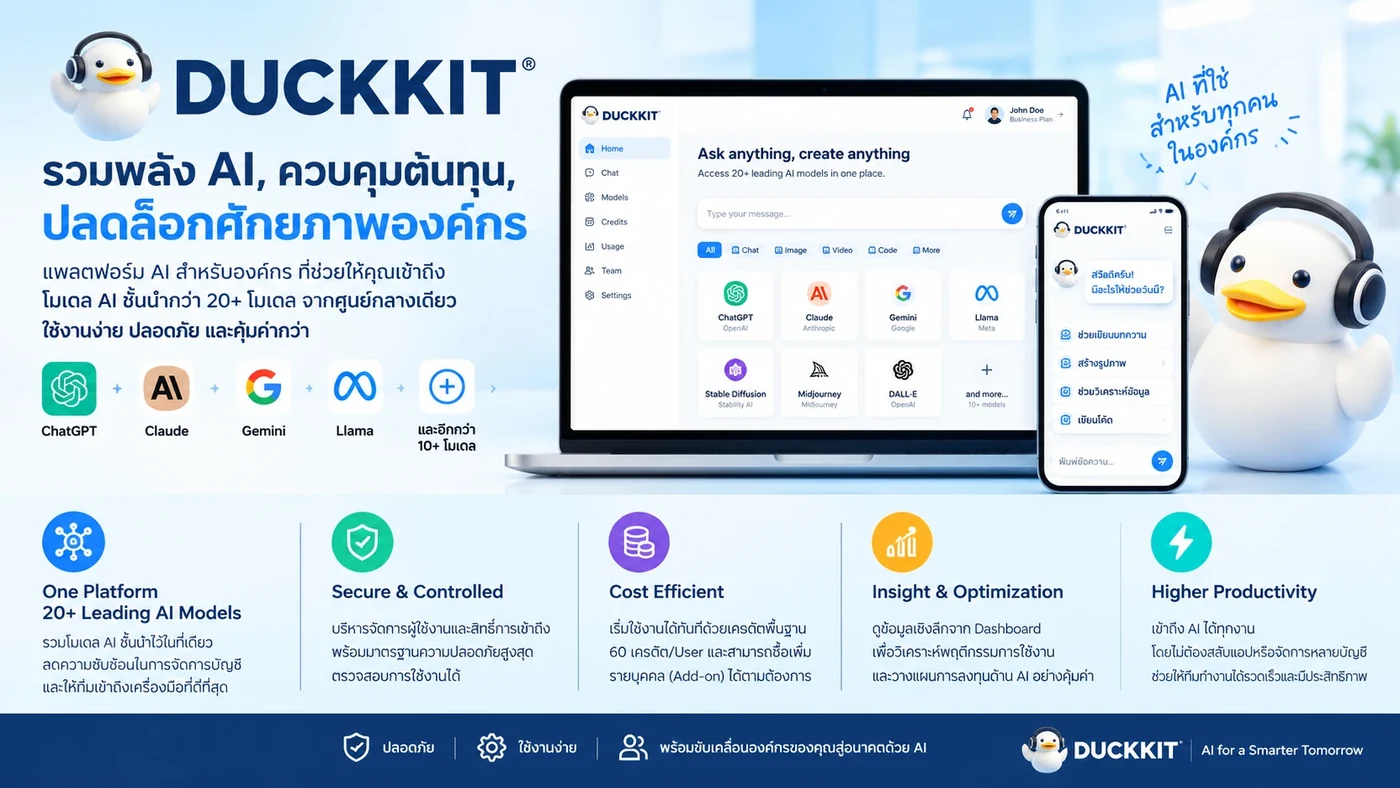
Is DuckKit right for your organization?
DuckKit suits organizations that want staff to use AI for maximum productivity while taking data security and central cost management seriously.
FEATURES
DuckKit: the AI control center for your organization
One web application that connects your people to top AI models, with strong security controls built in.
All-in-One: top models in one chat
No multiple sign-ups or bills. Switch AI models to suit the task, even mid-conversation, and the context carries over.
Security by Design: no customer data in prompts
Personal data (PII) is detected and masked automatically before it reaches the AI provider, using Microsoft Presidio, PhayaThaiBERT, Thai-language regex and SHA-256 hashing. The organization sets the masking level (national ID, phone, email, credit card, etc.).
Smart chat with Live Preview
Ask AI to write code (HTML, React, Vue, SVG) and see it rendered next to the chat. Includes web search, a reasoning mode, and voice input (speech-to-text).
Cloud Agent: edit Office and Google files directly
View, summarize, create or edit files from the chat. Works with OneDrive/SharePoint (Word, Excel, PowerPoint) and Google Drive (Docs, Sheets, Slides). Link a folder for read-only summaries and export to PDF.
Projects (RAG) and KM Library
Create task-specific workspaces and upload many documents for AI to search. Thai OCR for scanned PDFs. A human-verified knowledge library keeps knowledge when people leave.
Standard templates
Ready-made setups combining a role, a prompt and the best-fit model. Start work with one click. Visibility has 4 levels: personal, department, organization, system.
Database Agent: analyze data without writing SQL
Ask in Thai or English and AI turns it into SQL and returns the results. Supports PostgreSQL, MySQL, SQL Server, MongoDB and Firebase. Read-only: it never writes, edits or deletes production data. Export in 7 formats.
Access and credit control (RBAC)
Set access to features and AI models per person, department or organization. Control usage quotas (credits) to prevent overspend, set auto top-up policies per department, and turn models on or off per team.
Transparent, auditable, measurable ROI
An analytics dashboard shows AI use across the organization, finds knowledge gaps and calculates ROI. The audit log lets you review every activity. Admins can toggle features or broadcast notices instantly, without a redeploy.
Works on every device
Fully responsive: desktop for heavy work and executive dashboards, iPad for reading and summarizing in meetings, mobile for voice commands any time.
WHY DUCKKIT
Why organizations switch to DuckKit
The problem: Shadow AI in the workplace
Data leak risk
Customer data, company secrets and PII can slip out to outside AI providers through prompts without anyone noticing.
Runaway cost
Staff sign up for several AI tools separately (ChatGPT, Claude, etc.), costs overlap and the company cannot judge the value.
No standard, lost knowledge
Everyone uses their own prompts, so the organization never builds up shared knowledge.
Shadow AI today vs DuckKit
FAQ
Frequently asked questions
What is DuckKit AI Portal?
DuckKit AI Portal is an "AI command center" for organizations. One web application connects your people to leading AI models such as OpenAI, Claude, Gemini, DeepSeek, Perplexity and Moonshot, with built-in security, access control and audit trails, so the organization can use AI safely in one place.
What is Shadow AI and why is it risky?
Shadow AI is when employees sign up for and use outside AI tools on their own. It carries three risks: customer data and company secrets can leak through prompts, costs balloon from overlapping subscriptions, and there is no shared standard, so the organization never builds up knowledge.
How does DuckKit stop personal data leaking through prompts?
DuckKit detects and masks personal data (PII masking) automatically before it reaches the AI provider, using Microsoft Presidio, PhayaThaiBERT, Thai-language regex and SHA-256 hashing. The organization sets the masking level, for example national ID, phone number, email and credit card.
Which AI models does DuckKit support, and can I switch between them?
It supports OpenAI, Claude, Gemini, DeepSeek, Perplexity and Moonshot. Users can switch models to suit the task, even mid-conversation, and the context carries over. There are no multiple sign-ups and no multiple bills.
How can we control AI access and spending in the organization?
Admins set access to features and AI models per person, department or organization. Usage quotas (credits) prevent overspend, auto top-up policies can be set per department, and the models each team may use can be turned on or off.
Can DuckKit connect to our databases, and how safe is it?
Yes, through the Database Agent. Users ask in Thai or English and the AI turns the question into SQL and returns the results. It supports PostgreSQL, MySQL, SQL Server, MongoDB and Firebase, and works read-only: it never writes, edits or deletes production data.
Can we audit activity and measure the ROI of AI use?
Yes. DuckKit has an analytics dashboard that shows AI use across the organization, finds knowledge gaps and calculates ROI, plus an audit log that lets you review every activity.
What kind of organization is DuckKit for?
It suits organizations that want staff to use AI for maximum productivity while taking data security and central cost management seriously.
Interested in DuckKit AI Portal?
Tell us what you need and our team will get back to you.
Contact us LINE