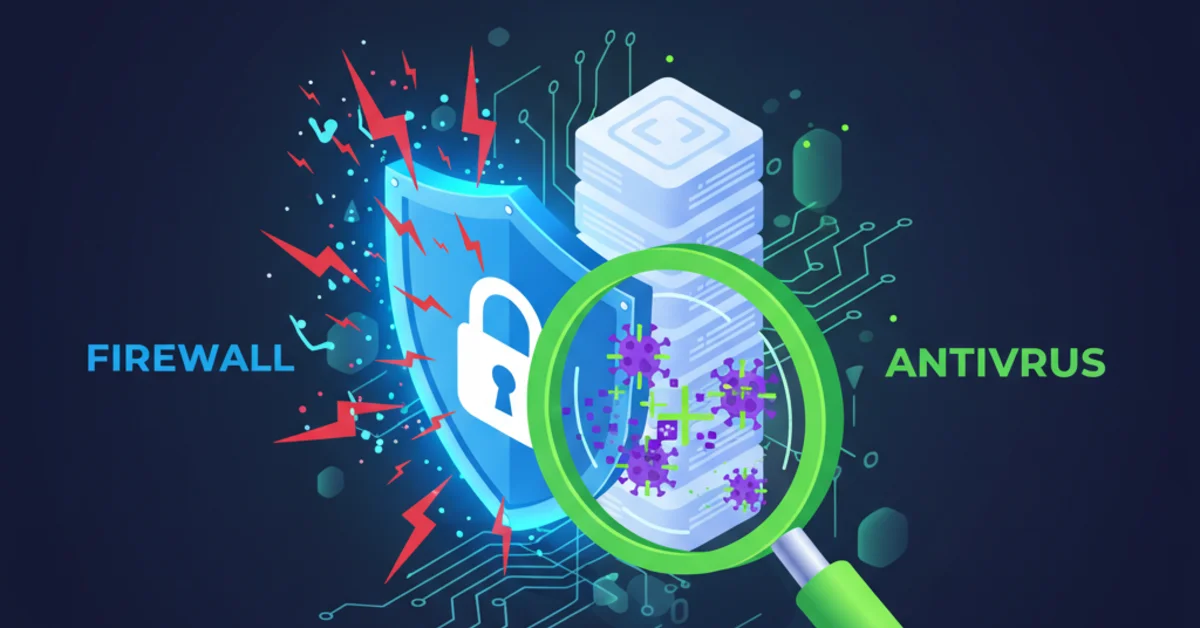
Many people believe that "installing antivirus on every machine is enough" but the truth is that relying on antivirus alone is like locking your room but leaving the front door open
What really happens:
Story A: Antivirus on every machine but no firewall → hackers get in through the network → 50,000 customers' data stolen → lawsuits and 20 million baht in damages
Story B: A firewall but no antivirus → an employee opens a phishing email → ransomware spreads across the organization → all data locked → a 5 million baht ransom paid
The truth: you need both a firewall and antivirus because they work at different layers and protect against different things
What is a firewall? (in plain terms)
Think of it as: the guard at the front gate
A firewall is like a guard standing at the door of your house (the network), checking who comes in and out by:
- Checking whether the visitor is on the list (allow list)
- Checking whether they look suspicious (block list)
- Checking whether they carry weapons or illegal items (packet inspection)
- Recording who came in and out and when (logging)
How does a firewall work?
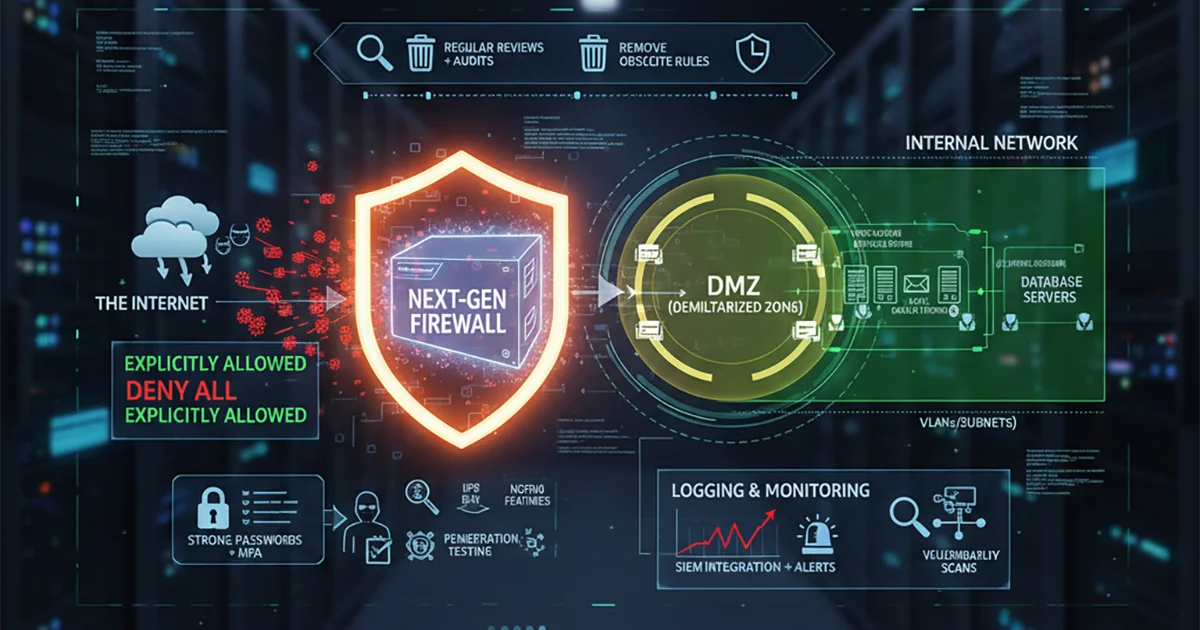
A firewall stands between the external network (the internet) and the internal network (your organization) Its job is to:
- Packet Filtering: Filter incoming and outgoing data according to the rules you set
- Block Unauthorized Access: Block unauthorized access
- Monitor Traffic: Monitor network traffic in real time
- Create DMZ: Create a buffer zone between the external and internal networks
⚠️ What a firewall protects against:
- ✅ Hackers trying to get into the network
- ✅ DDoS Attack
- ✅ Port Scanning
- ✅ Unauthorized Remote Access
- ✅ Data exfiltration (data being stolen out of the network)
❌ What a firewall can't protect against:
- ❌ Viruses that come with downloaded files
- ❌ Malware in email attachments
- ❌ Ransomware that an employee opens
- ❌ Spyware already installed on a machine
What is antivirus? (in plain terms)
Think of it as: a doctor giving a health check
Antivirus is like a doctor who checks the health of a computer (the endpoint) by:
- Scanning for germs (viruses and malware) in the body (the files on the machine)
- Killing the germs it finds (quarantine and delete)
- Checking for abnormal behavior (behavioral analysis)
- Giving a vaccine for protection (real-time protection)
How does antivirus work?
Antivirus is installed on each individual computer Its job is to:
- Signature-based Detection: Compare files against a database of known viruses
- Heuristic Analysis: Analyze the behavior of suspicious programs
- Real-time Scanning: Scan files the moment they are opened or downloaded
- Quarantine: Isolate suspicious files so they can't run
- Automatic Updates: Update the virus database every day
⚠️ What antivirus protects against:
- ✅ Virus, Worm, Trojan
- ✅ Ransomware
- ✅ Spyware, Adware
- ✅ Keylogger
- ✅ Malicious Files
- ✅ Phishing attempts (some of them)
❌ What antivirus can't protect against:
- ❌ Attacks that come directly through the network
- ❌ DDoS Attack
- ❌ SQL injection (without a web application firewall)
- ❌ Man-in-the-Middle Attack
- ❌ Network-level Threats
Why you shouldn't do it yourself or buy and install it yourself
The complexity most people can't see:
- Configuring firewall rules - One small mistake can block critical systems or open a hole without you knowing
- Network Architecture - You need to understand the whole network structure, it isn't just plug in and go
- Integration - It must connect with other systems such as AD, VPN and the email gateway
- Policy Management - You need a security policy that suits your organization, not the defaults
- Monitoring & Maintenance - Someone has to watch alerts, apply updates and handle false positives
- Incident Response - When you're attacked you must know what to do, not sit there confused
Risk comparison:
| DIY / buying it yourself | Hiring specialists |
|---|---|
| ❌ Misconfiguration → vulnerabilities | ✅ Configured correctly to best practice |
| ❌ No idea whether the setup is right or wrong | ✅ Security audit and testing included |
| ❌ When problems occur you don't know how to fix them | ✅ 24/7 support fixes problems immediately |
| ❌ Bought the wrong model that doesn't suit the organization | ✅ Chosen to match your needs |
| ❌ Nobody watches the logs or alerts | ✅ A SOC team monitors around the clock |
| ❌ Open-ended costs with no end in sight | ✅ A clear, all-inclusive price |
Don't leave your organization at risk
Investing in security is not an expense, it is insurance