Home Blog

Blog & Articles

Stay updated with the latest insights and trends in IT and technology

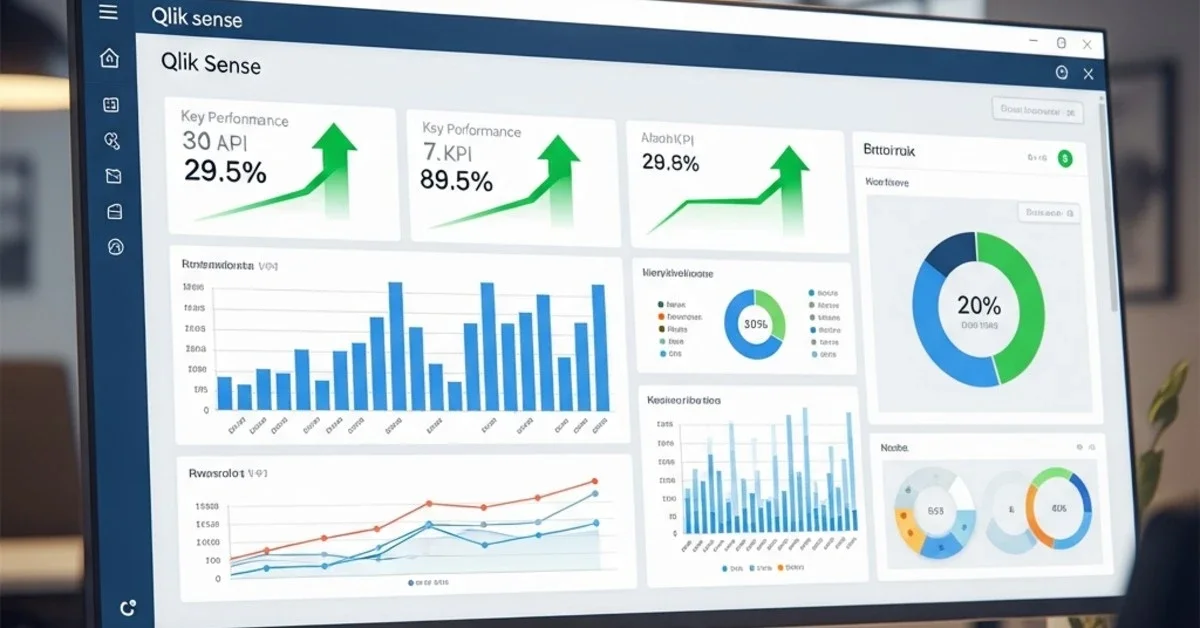
Qlik Sense Enterprise dashboard แสดงผลการวิเคราะห์ข้อมูลระดับ Enterprise
Technology 2 Mar 2026 14

Qlik Sense Advanced: Enterprise-level data analytics

If your organization is looking for a Business Intelligence tool that goes beyond just "looking at dashboards" but enables real, fast, and secure data-driven decision-making at an enterprise level — Qlik Sense Enterprise is one platform that should be on your list to consider. Qlik has been ranked as a Leader in the Gartner Magic Quadrant for Analytics & Business Intelligence Platforms for more than 15 consecutive years, and in 2025, it will also secure the Gartner Peer Insights Customers' Choice status with over 1,183 real-world user reviews, clearly indicating that this is not just a tool that analysts theoretically like, but a platform that real-world users in organizations are satisfied with. This article will take you on a deep dive into every aspect of Qlik Sense Enterprise, from its core architecture and interesting AI features to real-world use cases in various industries.

Admin User
Read More
Migration Zimbra
Technology 6 Feb 2026 12

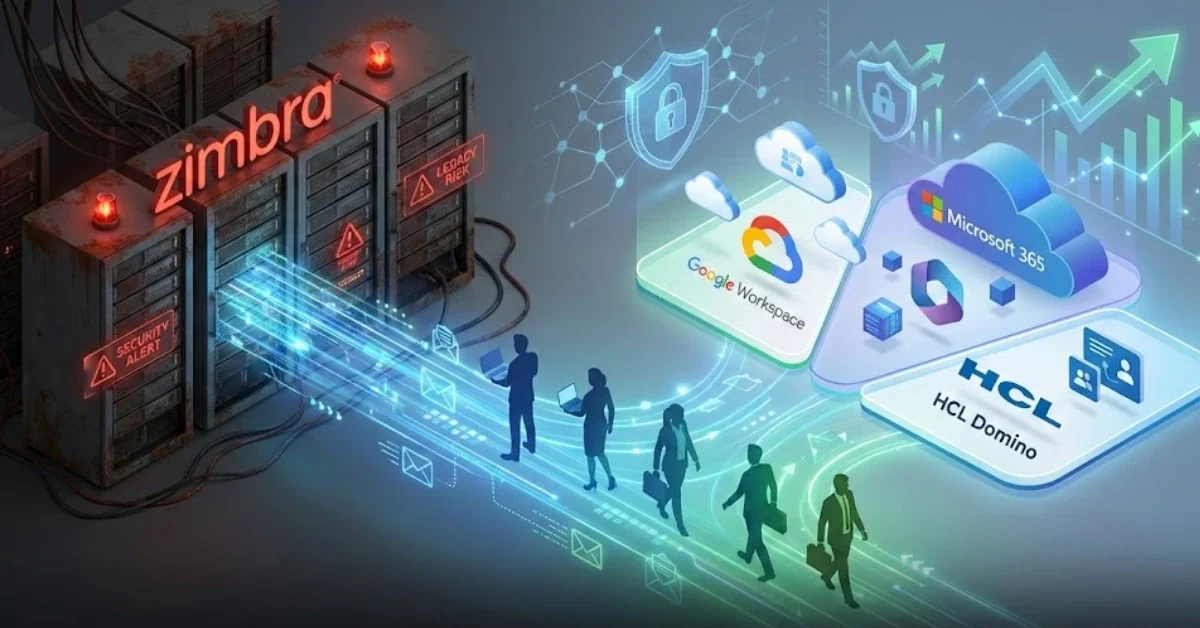
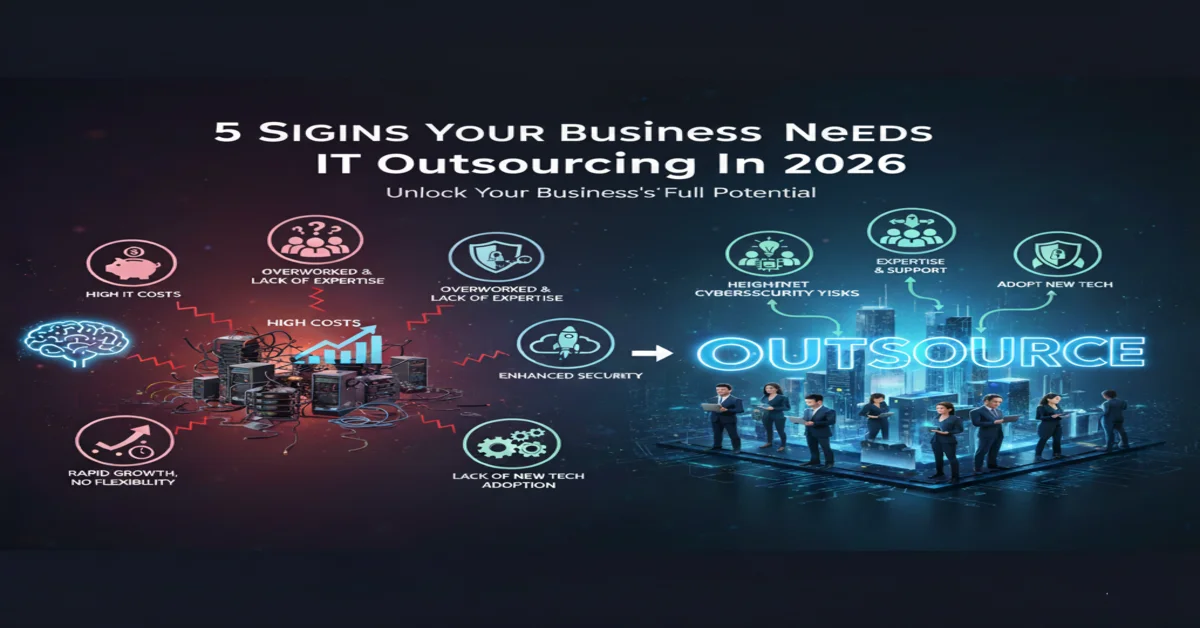
Migration from Zimbra: Why migrate and where to migrate?

Zimbra migration has become a critical priority for IT administrators and organizations worldwide following Synacor's official announcement to discontinue development and support for Zimbra Open Source Edition. This decision impacts thousands of organizations globally that rely on Zimbra as their primary email and collaboration platform. Choosing the right migration path is not just about moving data—it's an opportunity to upgrade your organization's security capabilities, productivity tools, and cloud integration while future-proofing your email infrastructure for the next decade. Why Organizations Must Prioritize Zimbra Migration Now The decision to pursue Zimbra migration isn't simply a response to the end of support—it's a strategic move for long-term business continuity and enhanced security posture. Organizations currently running Zimbra face multiple escalating risks that cannot be ignored in today's threat landscape. 1. Escalating Security Vulnerabilities Without ongoing security patch updates from the vendor, continuing to use Zimbra exposes your organization to emerging cyber threats that evolve daily. Over the past 2-3 years, Zimbra has experienced several critical security vulnerabilities, including zero-day exploits that were actively used to attack enterprise organizations. The absence of vendor support means that when security issues arise, you'll need to remediate them independently or rely on community support that may lack the speed and reliability required for enterprise environments. Security risks increase exponentially without vendor support and regular patches 2. Rising Total Cost of Ownership While Zimbra is open source, the true cost lies in system maintenance, specialized expertise, and incident response. Without official support, organizations must maintain in-house IT teams with specialized Zimbra knowledge—expertise that commands premium salaries and is increasingly rare in the talent market. Based on our experience serving 26 enterprise clients, we've found that the long-term cost of maintaining legacy Zimbra environments often exceeds the investment in modern, fully-managed cloud email platforms that include automatic updates, 24/7 support, and built-in security features. 3. Feature Stagnation and Innovation Gap Systems that have stopped development lose access to innovative features that competitors continuously release, including AI-powered email management, advanced threat protection, intelligent calendar scheduling, and modern collaboration tools. Zimbra migration presents an opportunity to modernize your organization's capabilities and enhance employee productivity with cutting-edge tools that integrate seamlessly with today's hybrid work environments. Leading Platforms for Zimbra Migration: Comprehensive Comparison Once you've committed to migrating from your legacy email system, the next critical step is selecting the platform that best aligns with your organization's needs, budget, and technical requirements. As a Solution Architect with experience executing over 29 migration projects in 2025, I recommend three primary platforms that organizations most frequently choose for their Zimbra migration journey. 1. Google Workspace - The Cloud-Native Leader Google Workspace (formerly G Suite) stands as the top choice for organizations seeking a cloud-native platform with exceptional flexibility, 99.9% uptime SLA, and seamless integration across the modern technology ecosystem. Key advantages of Google Workspace for Zimbra migration include: Competitive Pricing Structure - Starting at $6 USD/user/month for Business Starter and $12 USD/user/month for Business Standard with 2TB storage per user Powerful Real-Time Collaboration - Google Docs, Sheets, Slides, Meet, and Chat enable simultaneous editing and seamless teamwork across distributed teams Enterprise-Grade Security - Built-in 2-Step Verification, advanced phishing protection, data loss prevention (DLP), and Vault for eDiscovery and compliance Intuitive Administration - User-friendly Admin Console with granular controls and automatic updates that don't disrupt business operations Mobile-First Architecture - Optimized performance on smartphones and tablets with native apps that match desktop functionality AI-Powered Features - Smart Compose, Smart Reply, and intelligent search capabilities that enhance productivity From our experience managing multiple Zimbra to Google Workspace migrations for enterprise clients, we've found that organizations prioritizing agility, remote work enablement, and cost-effectiveness consistently choose Google Workspace and report high satisfaction with the modern user experience and intuitive interface that requires minimal training. KTNBS's proven migration methodology ensures business continuity throughout the transition 2. Microsoft 365 - Enterprise Integration Champion Microsoft 365 (formerly Office 365) excels for organizations with existing on-premise infrastructure or those heavily invested in the Windows and Active Directory ecosystem. The advantages of choosing Microsoft 365 for your Zimbra migration include: Seamless Office Integration - Native integration with Word, Excel, PowerPoint, and Teams that most employees already know and use daily Advanced Exchange Online Features - Large mailbox capacity, extensive archiving capabilities, and comprehensive compliance tools for regulated industries Hybrid Deployment Flexibility - Robust support for hybrid configurations between on-premise and cloud, ideal for organizations requiring gradual transition periods Comprehensive Security and Compliance - Advanced Threat Protection (ATP), Information Rights Management (IRM), and support for standards including ISO 27001, HIPAA, and GDPR SharePoint and OneDrive Integration - Enterprise-grade document management and file sharing with version control and co-authoring capabilities Power Platform Integration - Build custom workflows and applications using Power Automate, Power Apps, and Power BI Microsoft 365 pricing starts at approximately $6 USD/user/month for Business Basic and $12.50 USD/user/month for Business Standard. While slightly higher than Google Workspace, it delivers exceptional value for organizations requiring the full Microsoft Office Suite and deep Active Directory integration. 3. HCL Domino - The Customization Powerhouse For organizations with specialized requirements, complex workflow applications, or need for extensive customization, HCL Domino represents a compelling alternative. While not a cloud-native platform, it offers distinct advantages for highly customizable enterprise email systems: Unlimited Customization Potential - Develop custom applications, complex workflows, and integrations tailored precisely to business requirements Military-Grade Security - Robust authentication systems and encryption capabilities suitable for government agencies and financial institutions Proven Enterprise Stability - System renowned for exceptional uptime, reliability, and support for high-availability configurations Database-Driven Architecture - Ideal platform for building sophisticated business applications beyond simple email functionality Complete Data Sovereignty - Organizations maintain full control over data and infrastructure without dependence on external cloud providers Legacy Application Support - Seamless migration path for organizations with existing Notes/Domino applications As an HCL Domino specialist with over 10 years of expertise, I've observed that organizations choosing Domino typically have stringent compliance requirements, need complete data control, or maintain legacy applications built on the Notes/Domino platform that would be costly to redevelop on alternative platforms. Professional Zimbra Migration Process: Step-by-Step Framework Executing a successful Zimbra migration requires meticulous planning to minimize downtime and eliminate the risk of data loss. Drawing from our experience with email migration projects (representing 34% of our total engagements), we recommend the following proven methodology: Phase 1: Assessment and Strategic Planning (1-2 Weeks) Conduct comprehensive current state assessment - user count, mailbox sizes, shared calendars, distribution lists, and custom configurations Document business requirements - essential features, budget constraints, timeline expectations, and compliance needs Select target platform and design coexistence strategy (if required for phased migration) Develop detailed migration runbook and stakeholder communication plan Identify and engage pilot users representing diverse use cases Phase 2: Preparation and Pilot Testing (1-2 Weeks) Provision new platform environment and configure DNS records, MX entries (staged for cutover) Create user accounts and implement security policies aligned with organizational standards Execute pilot migration with 5-10 representative users across different roles Validate data integrity - emails, contacts, calendars, and folder structures Develop comprehensive training materials and quick reference guides Establish support desk procedures and escalation paths Phase 3: Migration Execution (1-4 Weeks Based on Scale) Execute batch migration in manageable groups to minimize risk exposure Configure email forwarding or coexistence setup (for temporary dual-system operation) Monitor system performance and user experience in real-time Conduct post-migration data validation for each batch Address issues immediately with dedicated support team Communicate progress regularly to stakeholders and end users Sample migration timeline designed to minimize business disruption Phase 4: Post-Migration Support and Optimization (2-4 Weeks) Provide intensive user support during adaptation period Fine-tune system settings based on user feedback and performance metrics Monitor adoption rates and identify users requiring additional assistance Conduct post-implementation review and lessons learned session Complete knowledge transfer documentation and system handover Decommission legacy Zimbra environment following retention policy Zimbra Migration Best Practices for Guaranteed Success Synthesizing insights from numerous enterprise migration projects, we've compiled these best practices to ensure your Zimbra migration proceeds smoothly and delivers maximum value: 1. Never Rush - Invest in Thorough Planning Hasty migrations consistently lead to preventable problems. Allocate minimum 4-8 weeks for organizations with 50-200 users, scaling proportionally for larger enterprises. Proper planning reduces downtime, prevents data loss, and minimizes user confusion. The time invested in planning pays dividends through smoother execution and higher user satisfaction. 2. Maintain Continuous Stakeholder Communication Announce migration plans well in advance, conduct multiple training sessions, and establish dedicated help desk support. Users who understand the rationale for change and feel supported throughout the transition significantly improve project success rates. Create a comprehensive communication plan covering pre-migration announcements, during-migration updates, and post-migration support resources. 3. Always Conduct Pilot Testing Testing with a small representative group before full deployment reveals unexpected issues and enables process refinement. Select pilot users representing diverse use cases—both power users and light users—to validate the migration approach across the entire user spectrum. Pilot feedback is invaluable for adjusting the methodology before broader rollout. 4. Implement Comprehensive Backup Strategy Back up all Zimbra data before initiating migration and retain backups for minimum 3-6 months post-migration completion. This provides insurance against unforeseen data recovery needs and regulatory compliance requirements. Verify backup integrity through test restorations before beginning the migration. 5. Design for Coexistence Period Configuring Zimbra and the new platform to operate simultaneously during the transition period reduces risk and allows gradual user adaptation. Implement email forwarding, calendar sharing, and free/busy lookup between systems. Coexistence is particularly valuable for large organizations requiring phased migration approaches. 6. Define and Track Success Metrics Establish clear KPIs including migration completion rate, data integrity percentage, user satisfaction scores, system uptime, and support ticket volume. Regular measurement against these metrics enables course correction during the project and demonstrates value to organizational leadership. 7. Prioritize Change Management Technical migration represents only half the challenge—user adoption determines ultimate success. Invest in change management activities including executive sponsorship, champion programs, comprehensive training, and sustained post-migration support. Organizations that treat migration as a change management initiative rather than purely technical project achieve significantly better outcomes. Zimbra Migration Cost Analysis and ROI Calculation Making informed Zimbra migration decisions requires understanding both direct and indirect costs alongside long-term return on investment. Typical migration costs include: Platform License Fees - Monthly or annual subscription costs for new platform (Google Workspace: $6-24/user/month, Microsoft 365: $6-35/user/month depending on edition) Migration Service Fees - Professional services from migration specialists, typically $15-60/user depending on complexity, data volume, and customization requirements Training Investment - End-user training programs, approximately $750-1,500 for 100-user organization including materials and instructor time Productivity Impact - Temporary productivity reduction during transition (minimized through proper planning and phased approach) Infrastructure Changes - DNS modifications, firewall rules, and integration updates Conversely, return on investment from Zimbra migration includes: Reduced IT operational costs (elimination of specialized administrator salaries) Enhanced productivity through superior collaboration features and AI-powered tools Decreased security and compliance risk exposure Improved scalability and flexibility to accommodate business growth Better support for remote work and mobile workforce Access to continuous innovation and new features Reduced infrastructure costs (elimination of on-premise servers) Based on ROI analyses conducted for our clients, most organizations achieve full return on their migration investment within 12-18 months when accounting for IT cost reductions and productivity improvements. Forward-thinking organizations view migration not as expense but as strategic investment in digital transformation. Overcoming Common Zimbra Migration Challenges Understanding potential obstacles enables proactive mitigation. Common challenges in Zimbra migration projects include: Data Integrity and Completeness Ensuring complete migration of emails, attachments, contacts, calendars, and folder structures requires robust validation processes. Implement automated validation tools and conduct sample manual checks. Address encoding issues, special characters, and large attachments that may require special handling. User Resistance to Change Some users resist new platforms regardless of benefits. Combat resistance through clear communication of business rationale, hands-on training, readily available support resources, and executive sponsorship demonstrating organizational commitment. Calendar and Meeting Migration Complexity Calendars present unique challenges including recurring meetings, meeting invitations, and resource bookings. Thoroughly test calendar migration in pilot phase and provide clear guidance to users on managing calendars during transition. Third-Party Integration Dependencies Identify and update all systems integrated with Zimbra, including CRM platforms, ticketing systems, and custom applications. Catalog integrations early in planning phase to ensure adequate time for reconfiguration or replacement. Conclusion: Begin Your Zimbra Migration Journey with Confidence The imperative for Zimbra migration cannot be postponed, as security risks and technological limitations will continue escalating over time. Selecting between Google Workspace, Microsoft 365, or HCL Domino depends on your organization's specific requirements, budget parameters, and technical architecture. Each platform offers distinct advantages for different organizational profiles. Regardless of your platform choice, success hinges on thorough planning, comprehensive pilot testing, effective user communication, and partnership with experienced migration specialists. KTNBS delivers expert consultation and professional migration execution, leveraging over 10 years of email migration expertise and deep knowledge across all major platforms. If you're seeking a trusted partner for your Zimbra migration initiative, contact us today for complimentary consultation and customized migration roadmap tailored to your organization's unique needs. Our proven methodology minimizes risk, ensures data integrity, and maximizes user adoption to deliver successful outcomes for your digital transformation journey.

Admin User
Read More
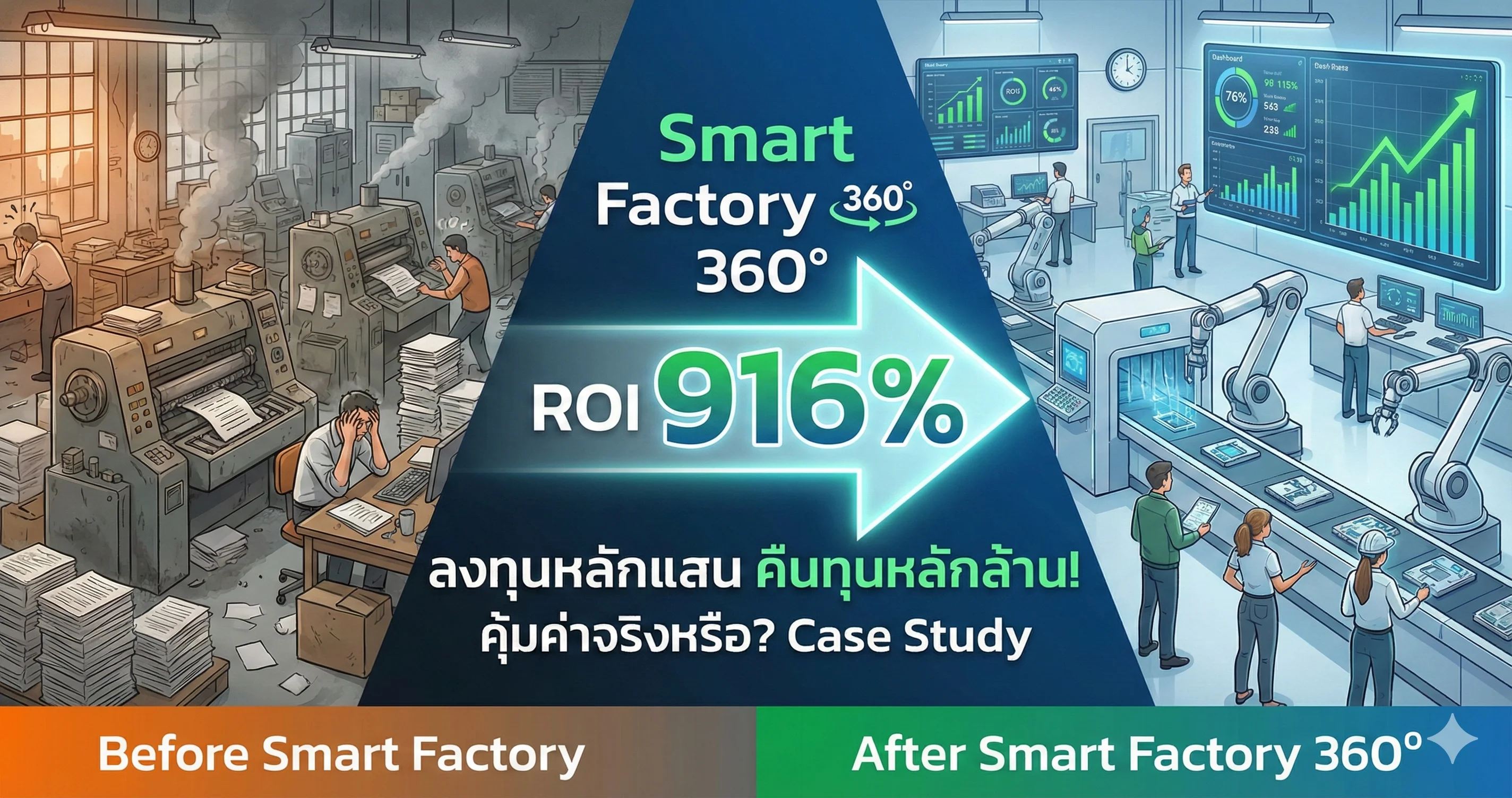
Comparison of chaotic traditional factory vs modern Smart Factory 360 with automation and digital dashboards, highlighting 91
Technology 3 Feb 2026 12

Smart Factory 360 ROI: Is it really worth it? Case Study

Smart Factory 360 ROI: Is It Really Worth It? A Deep Dive Case Study 🏭💸 Investing in a Smart Factory system is often perceived as a luxury reserved for "Industry Tycoons" or massive manufacturing conglomerates with unlimited budgets. Hearing buzzwords like AI, IoT, or Digital Twins often makes SME owners hesitate, thinking these technologies are "Too Expensive," "Too Complex," and "Unclear on Returns." 🤔 But today, we are going to shatter those misconceptions with hard data from Smart Factory 360°—a platform designed specifically to revolutionize the manufacturing sector. We will break down the ROI (Return on Investment) figures through a proven Case Study. You will see that transforming a traditional factory into a Smart Factory is no longer just an "option"—it is a "survival strategy" with a payback period so fast, it might just shock you! 😱💰 1. The Pain Points: Bleeding Profits (Until You Find the Cure) 🛑 Before analyzing the value, we must look at the "wounds" most factories are currently suffering from—issues that quietly drain your profits. Operational surveys reveal four major obstacles blocking factory growth: Unplanned Downtime: A factory manager's nightmare. Machines breaking down without warning. A production halt of just one hour can mean six-figure losses or penalties for delayed shipments. Low OEE (Overall Equipment Effectiveness) 📉: What is your true machine utilization rate? How much waste are you producing? Many factories cannot answer this, or they rely on "yesterday's data," which is too late to act upon, leading to massive missed opportunities. Data Silos 🧩: Production writes on paper, Maintenance logs in Excel, Management waits for end-of-month reports. Disconnected data turns the "Big Picture" into a "Mirage," causing slow and inaccurate decision-making. Hidden Production Costs 💸: Excessive energy bills, labor costs, and material waste. You know costs are high, but you can't pinpoint exactly where to cut because the "leaks" are invisible. If you find yourself nodding and thinking, "That's exactly my factory!"... then you are the patient who needs Smart Factory 360° as an immediate prescription. 💊 2. The Solution: What is Smart Factory 360°? 💡 Smart Factory 360° is not just software; it is a "Digital Operating System" for your factory, built on the philosophy: Visualize Everything, Optimize Anywhere, Succeed Everywhere 🌐. What sets this system apart is its role as an All-in-One Platform connecting every dimension: Smart Production: AI-driven production control and planning. Smart Maintenance: Shifting from "Fix when broken" to "Predictive Maintenance" (Forecasting breakdowns before they happen). Smart Quality: Utilizing AI Vision to detect defects more accurately than the human eye. Smart Energy: Reducing electricity bills by analyzing and managing Peak Loads. Smart Dashboard: Executives see everything on their mobile devices in Real-time. 📱 But the million-dollar question remains... "Does it actually make money?" Let's look at the numbers. 👇 3. Case Study Breakdown: Real ROI or Just Hype? 📊 To paint a clear picture, we will use a Real Investment Case Study from the "Co-Development Partners" program of Smart Factory 360°. This model reflects a medium-sized factory looking to upgrade to Industry 4.0. 💰 Part 1: The Investment For factories joining this program, the initial investment is "incredibly accessible" compared to purchasing a single new machine. Year 1 Investment Cost: 228,000 THB 🏷️(Discounted from the standard price of 357,000 THB - a near 40% saving for Early Adopters) Subsequent Year Cost (Subscription): Only 114,000 THB/Year For roughly 200k THB, you get a full suite of IoT, Cloud Server, AI Analytics, and Mobile Applications. The risk is incredibly low. But wait! Let's look at the "Returns." 📈 Part 2: Tangible Benefits Once the system runs, data flows, and AI analyzes, the result after 1 year is "Plugging Leaks" and "Boosting Output," translated into monetary value as follows: Operational Cost Reduction:Eliminating paper, reducing admin work, cutting unnecessary OT.👉 Saved Value: 600,000 THB/Year 💵 Downtime Reduction:System alerts before breakdown (Predictive Maintenance) allowing precise repair planning.👉 Recovered Value: 380,000 THB/Year ⚙️ OEE Improvement:Identifying bottlenecks allows for targeted fixes, faster production, and less waste.👉 Increased Output Value: 960,000 THB/Year 🚀 🏆 The Verdict When we combine the figures... Total Annual Benefits: ~2,000,000 THB Minus Initial Investment: 2,000,000 - 228,000 = Net Profit 1,772,000 THB! This translates into astounding financial metrics: 🔥 Year 1 ROI: 916%🔥 Subsequent Year ROI: 1,786% (Due to lower subscription costs)⏳ Payback Period: ~ 5 Months You read that correctly... Invest 200k, Return 2 Million. Breakeven in less than half a year. This is the power of Data that many overlook. 4. Why It Works? The Mechanics of Success 🧠 You might wonder, "Is this too good to be true?" The answer is "No." The losses in a Traditional Factory are often far more massive than you realize—you just "can't see" them. Smart Factory 360° acts as a "Spotlight" 🔦 illuminating the problems: Real-time Visibility: No more waiting for morning reports. When a machine starts to deviate, the graph screams immediately on your mobile, allowing you to fix issues in minutes, not days. AI-Driven Insights: The system doesn't just "show" data; it "thinks" for you. For example, AI suggests, "Replace bearing on Machine A in 3 days," allowing you to prep parts without halting the line. Digital Collaboration: When data lives on the Cloud, every department sees the same picture. The "Blame Game" disappears, replaced by Collaborative Problem Solving. 5. Conclusion: Don't Let Competitors Outpace You 🏁 An ROI of 916% is not just a statistic on paper; it is confirmation that Smart Manufacturing is not an "Option" but a "Survival Strategy" for the industry in an era of high labor costs and fierce competition. Investing 228,000 THB for a system that acts as an "Intelligent Brain" for your factory and generates a return of 2 million baht per year is an equation any smart business owner can solve in seconds. Today, the question isn't "Why should I build a Smart Factory?"It is "When will you start?" Because every day you hesitate is an Opportunity Cost you are paying for nothing... 💸 Ready to revolutionize your factory?Take the first step towards Industry 4.0 with Smart Factory 360° and discover that your factory can do much more than you think! 🏭✨ #SmartFactory360 #ROI #Industry40 #DigitalTransformation #FactoryAutomation #ManufacturingSuccess

Admin User
Read More
MigrateEmail
Technology 22 Jan 2026 12

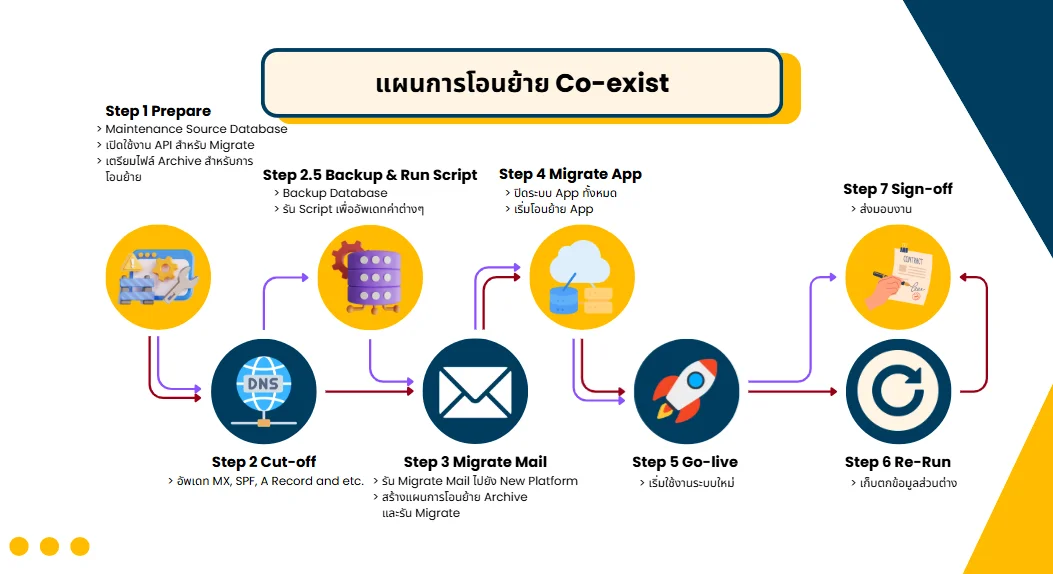
Co-exist Email Migration: 8 Steps to a Worry-Free Move

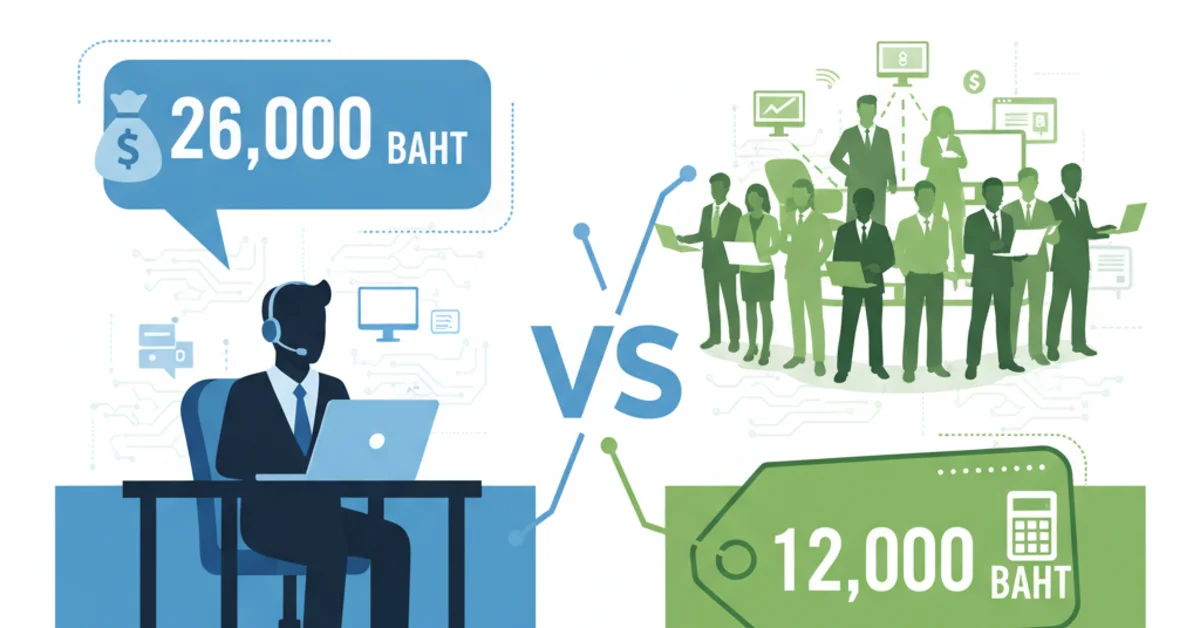
Why email migration is an IT manager's nightmare Migrating an email system is one of the highest-risk projects there is. Statistics show that more than 40% of email migrations fail or run into serious problems, resulting in: Data loss Thousands of important emails gone, customer contracts nowhere to be found, lawsuits because there is no evidence Downtime lasting days Planned for 4 hours but it turns into 3 days; 500 employees can't work, costing millions of baht Broken systems After the move, mail can't be sent or received, customers call to complain by the hundreds, and your reputation suffers Budget overruns You expected to spend 500,000 baht and ended up at 2,000,000 fixing unexpected problems These problems really happen to many organizations in Thailand and most come from trying to do it yourself without experience Why is email migration so complex? Most people think "it's just moving email, how hard can it be?" but the reality is: Thousands of mailboxes, each holding different data Shared mailboxes and distribution lists hidden throughout the system One small DNS configuration mistake = the whole organization's email lost Third-party apps all have to be reconnected Every user has different rules, signatures and auto-replies Thai text is easily mis-encoded and turns into garbled characters Round-the-clock monitoring is needed during the move And this is only a small part of it Co-exist migration: the only safe way Co-exist migration is the professional approach to moving email used by enterprises worldwide. The old and new systems run side by side during the move, which gives you: ✅ Zero downtime - the business never stops ✅ Lower risk - move in stages ✅ Rollback possible - if anything goes wrong Why use specialists? 1. Real experience We have done more than 200 email migration projects, met every kind of problem and know how to fix it 2. Dedicated tools We have tools and scripts developed in-house for the Thai market 3. Full Thai language support Thai encoding, archive and search all work perfectly 4. A 24/7 standby team During the migration a team is on hand throughout and fixes problems immediately 5. Guaranteed results If something goes wrong, we take responsibility and don't leave the customer in trouble What happens if you do it yourself or hire someone without experience Scenario 1: DNS set up wrongly → customer emails go missing for 2 days before you notice Scenario 2: Shared mailboxes forgotten → support@ and sales@ emails are all gone Scenario 3: Thai encoding wrong → old emails are completely unreadable Scenario 4: Migration stuck → the old system is full, the new one isn't ready and you don't know what to do Scenario 5: Users complain across the organization → management gets angry → the IT manager gets fired   Real cost comparison Doing it yourself Hiring KTN ❌ 3 months of your IT team's time❌ Damage from downtime❌ Lost, unrecoverable data❌ Stress and risk= ??? (no telling where it ends) ✅ A clear price✅ Zero Downtime✅ Guaranteed no data loss✅ Sleep soundly= cheaper and safer   Don't let email migration become a nightmare Planning an email migration? Talk to the experts before it's too late

Admin User
Read More
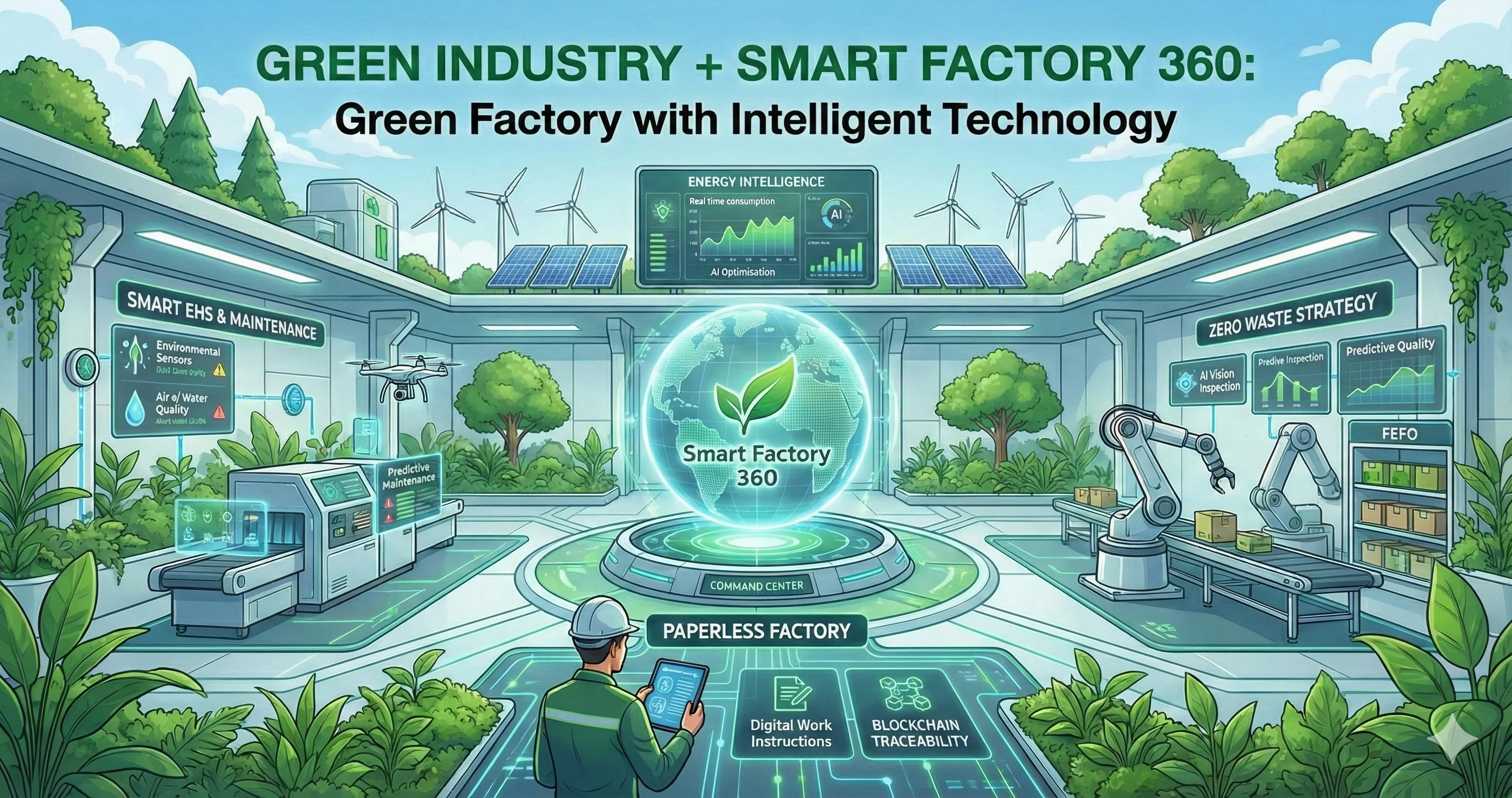
ภาพจำลองโรงงาน Smart Factory 360 ผสานเทคโนโลยี AI และ IoT เข้ากับพื้นที่สีเขียวและพลังงานสะอาดเพื่อความยั่งยืน
Technology 21 Jan 2026 12

Green Industry + Smart Factory 360: Green Factories with Technology

🌿 Green Industry + Smart Factory 360: Revolutionizing Sustainable Manufacturing with Intelligent Technology 🏭✨ In an era where the world is facing the crisis of "Global Boiling," the industrial sector is no longer viewed merely as a "producer," but is being scrutinized as a primary "steward" of the environment 🌍. Today, the term "Green Industry" is not just an optional branding strategy; it has become the "Survival Strategy" and a critical "Business Opportunity" for the modern era. But the pressing question remains: How do we transform a traditional factory—consuming massive amounts of energy and generating waste—into a high-efficiency Green Factory? The answer lies not just in planting trees around the perimeter, but in leveraging "Data" and "Technology" for management. This is the essence of Smart Factory 360! 💡🚀 Today, we will dive deep into how the Smart Factory 360 system can simultaneously transform your facility into a "Green" and "Smart" operation, based on the real-world features available in the system’s modules. 1. Energy Intelligence: Making Energy Usage "Smart" and "Cost-Effective" ⚡📉 The heart of a Green Factory is Energy Management. Smart Factory 360 goes beyond simple meter reading; it utilizes the Energy Intelligence (Module 7), which acts as the "digital brain" specifically for energy optimization. 📊 Real-time Consumption Monitoring & AI Optimization Gone are the days of waiting for the electricity bill at the end of the month to know your consumption. This system connects with Smart Meters and IoT Sensors to display Real-time energy usage on the Energy Command Center. You can instantly visualize which machines are consuming abnormal amounts of power or identify Peak Demand periods. The game-changer is the AI Energy Optimization Engine. It doesn't just report data; it "thinks" for you. For instance, it can suggest Peak Shaving strategies or shift energy-intensive loads from on-peak to off-peak hours (Load Shifting). It also optimizes equipment parameters to operate within their most efficient ranges, automatically reducing energy costs. ☀️ Renewable Energy Management For factories equipped with Solar Cells or Energy Storage Systems (ESS), this system manages these renewable energy sources seamlessly alongside the main grid. This ensures that you are utilizing clean energy in the most cost-effective way possible. 👣 Carbon Footprint Monitoring This is the ultimate feature for the Green Industry. Smart Factory 360 includes a Carbon Management Platform that tracks and calculates Greenhouse Gas (GHG) emissions from various factory activities. It converts complex energy units into "Carbon Credits" or environmental impact reports instantly, fully supporting ISO 50001 (Energy Management) standards. 2. Zero Waste Strategy: Minimizing Loss with AI and Smart Quality ♻️✅ "Waste" is the archenemy of sustainability. Whether it is wasted raw material or non-compliant finished goods, Smart Factory 360 tackles this problem at the "root cause." 👁️ AI Vision Inspection & Predictive Quality Instead of waiting until production is finished to discard defective items (wasting materials and energy already spent), the system uses AI Vision Inspection and Computer Vision to detect anomalies during the production process itself! Furthermore, the Predictive Quality system uses AI to analyze production parameters (e.g., heat, pressure, speed) to "Forecast" whether the next item is likely to be defective. If the system detects a trend towards failure, it triggers alerts to adjust machine settings immediately (Cognitive Process Control), aiming for Zero Defect and significantly reducing material waste. 🗑️ Smart Inventory & FEFO Holding stock until it expires is a painful loss. This system strictly implements the FEFO (First Expired, First Out) principle. The system automatically directs staff to withdraw raw materials that are closest to their expiration date first, preventing them from becoming Dead Stock and massively reducing industrial waste. 3. Paperless Factory: Digital Revolution 100% 📱📄🚫 A Green Factory must minimize paper usage. Smart Factory 360 is designed to transform piles of documents into digital data (Digitization) at every step: Digital Work Instructions: Stop distributing oil-stained paper manuals. Switch to digital screens displaying videos or interactive 3D models, reducing paper waste and improving worker comprehension. Digital Permit to Work & E-Forms: Work permits and inspection results (Checksheets) are all migrated to tablets or mobile devices. Data is stored securely and is instantly traceable. Blockchain Traceability: No more digging through filing cabinets to trace a product. The system uses Blockchain technology where scanning a QR Code reveals exactly where raw materials came from, when they were produced, and who performed the QC. This ensures transparency and completely eliminates the need for paper trails. 4. Smart EHS: Safety and Environment Controlled via IoT 🛡️🌳 Safety and Environment go hand-in-hand in Smart EHS (Module 12): Environmental IoT Platform: The system connects to sensors measuring air quality, water quality, or noise levels within the factory to report pollution data in Real-time. If values exceed standards, the system alerts immediately, allowing for correction before affecting the community and environment. AI Safety Monitoring: AI cameras monitor safety compliance, such as detecting employees not wearing PPE or entering hazardous zones. This reduces accidents—and every accident avoided means saving resources and preventing operational disruption. Compliance: The system fully supports environmental laws and ISO 14001 standards, making government reporting easy, accurate, and transparent. 5. Smart Maintenance: Asset Life Extension = Reducing Industrial Waste 🔧⚙️ Machines that break down quickly mean purchasing new spare parts or replacing entire units, generating metal and electronic waste. Smart Maintenance shifts the paradigm from "fix it when it breaks" to "Predictive Maintenance." By using AI to analyze vibration or heat signatures of machinery, the system can predict, "The bearing will fail in 2 weeks; replace it now." This approach extends the Asset Life significantly and ensures spare parts are used to their fullest potential before disposal. Conclusion: Green Industry is Not an Option, It’s the "New Standard" 🌟 Transitioning to a Green Industry with Smart Factory 360 is not just about saving the planet; it is about saving your business: Reduce Costs: Lower electricity bills, less waste, and faster operations. Increase Opportunities: Meet the demands of modern clients looking for partners with environmental standards (Carbon Neutrality / Net Zero). Sustainability: Build a production foundation that is stable, safe, and community-friendly. Smart Factory 360 comes with the slogan "Visualize Everything, Optimize Anywhere, Succeed Everywhere." In the context of Green Industry, this means enabling us to "Visualize" all resource usage and "Optimize" for maximum efficiency to achieve sustainable success 🌿🚀. Are you ready to transform your factory into a Smart Green Factory today? (This article is compiled from the Smart Factory 360 Phase 1 design documents and Industry 4.0 standards.)

Admin User
Read More
BI Dashboard
Technology 16 Jan 2026 12

Qlik Sense: Turn Your Data into Sales with Business Intelligence

Why data is the most valuable asset of the modern business In the digital age every kind of business generates huge amounts of data every day. The key question is not "how much data do we have?" but "how much value do we get from the data we have?" Data that is analyzed correctly can become a business strategy that drives sales and significantly increases profit. Qlik Sense is a Business Intelligence (BI) platform that helps organizations turn raw data into insights they can use to make business decisions immediately, with self-service analytics and interactive visualization that everyone in the organization can use. The data management problems modern businesses face 1. Data scattered across many systems Sales data sits in the CRM, financial data in the ERP and customer data in the marketing platform, so you can't see the whole picture. Combining data from several sources takes a long time and is highly complex. 2. Reports that are slow and out of date A monthly report that arrives two weeks after the month ends can't help solve today's problems. Businesses need real-time data to make timely decisions. 3. Constant reliance on the IT team or data analysts Every time you need a new report or a different view of the data you must wait for the IT team to build it, which costs business opportunities and reduces agility. 4. A lack of deep understanding from the data You have only numbers and charts but don't know what to do. Without analysis of the relationships between data you miss the chance to find the business's strengths and weaknesses. 5. Excel can't keep up with complex data When data runs to millions of rows, Excel slows down, crashes often and can't create complex or interactive visualizations. There are also problems with version control and data security. Qlik Sense: the business intelligence platform that makes data easy to understand Qlik Sense is a modern analytics platform designed so that everyone in the organization can build their own data analysis and dashboards without advanced technical knowledge. It is powered by an AI analytics engine called the Associative Engine, which sets it apart from typical BI tools. What makes Qlik Sense different Associative Analytics Engine Unlike typical query-based BI, Qlik uses an Associative Engine that loads all data into memory and builds relationships between every piece of data, so you can explore your data freely without defining queries or drill paths in advance. Core Technology Self-Service Analytics Users can build their own analyses and visualizations without relying on the IT team, using an easy drag-and-drop interface. Smart Visualization AI recommends the most suitable visualization for each type of data, and Insight Advisor helps find insights hidden in the data. Cloud & On-Premise Available both in the cloud (SaaS) and installed on-premises, to meet security and data-control requirements. How Qlik Sense works: from raw data to decisions   Connect data from every source Qlik Sense connects to more than 100 data sources, including: Databases: SQL Server, MySQL, Oracle, PostgreSQL Cloud Services: Salesforce, Google Analytics, AWS, Azure Files: Excel, CSV, JSON, XML, Parquet ERP/CRM: SAP, Microsoft Dynamics, Oracle EBS Big Data: Hadoop, Spark, MongoDB REST API: connect to any system that has an API Data connectors run automatically and can refresh data on a schedule you set   Clean and prepare the data (data preparation) Use Data Manager and Data Load Editor to: Combine data from several sources (join, concatenate) Clean the data (remove duplicates, handle null values) Create calculated fields and transformations Define the data model and relationships Data profiling shows data quality and recommends improvements   Build visualizations and dashboards Use drag-and-drop to build charts and dashboards: Charts: Bar, Line, Pie, Scatter, Combo Charts Tables: Pivot Tables, Straight Tables Maps: Geographic visualization with drill-down KPIs: Gauges, Bullet charts, Indicators Advanced: Waterfall, Funnel, Treemap, Heatmap Smart Search lets you search data in natural language, for example "sales for the last 3 months"   Analyze and discover insights Qlik Insight Advisor uses AI to: Create suitable visualizations automatically Find patterns and anomalies in the data Recommend interesting insights Predict trends (predictive analytics) Associative selection lets you click any data point to see the relationships immediately   Share and collaborate Share insights with your team and executives: Publish dashboards to other users Set up access control and security Create stories and presentations Export to PDF, Excel and PowerPoint Embed in web applications A mobile app to view data anywhere, anytime   Set up alerts and automation Have the system notify you when something important happens: Data alerts: notify when data crosses a threshold you set Scheduled reports: send reports automatically on a schedule Triggered actions: make other systems run when a condition is met Key features that set Qlik Sense apart   Associative Engine The most powerful analysis tool, with no limit on the direction in which you explore data. It shows everything related to what you select, displaying both related data (green) and unrelated data (gray), so you see the complete picture. AI-Powered Insights Insight Advisor uses machine learning to analyze data and recommend insights automatically, helping you find hidden trends, anomalies and business opportunities you might otherwise miss. Natural Language Processing Search data in natural language, for example "show this month's sales compared with last month", and the system builds a suitable visualization automatically. Augmented Analytics AI helps create and recommend visualizations that fit the nature of the data. AutoML builds predictive analytics models automatically. Responsive Design Dashboards adapt themselves to every device automatically, whether desktop, tablet or mobile, with native apps for iOS and Android. Real-time Data Analytics Connect to streaming data sources to analyze data in real time and see changes the moment they happen, with no waiting for a refresh. Collaboration Tools Share and collaborate on a single dashboard: add comments, annotations and bookmarks, and share insights by email, Slack or Teams. Enterprise-Grade Security Row-level and column-level security control who sees what data. Data is encrypted both at rest and in transit, with support for SSO, SAML and OAuth. Extensibility & API Qlik Sense APIs let developers build custom extensions, integrate with other systems and automate workflows. An extension framework supports custom visualizations.   How Qlik Sense helps increase sales 1. Sales performance analysis All industries The problem: You don't know which salespeople are doing well, which products sell best or which customer groups have potential The solution: A dashboard shows real-time sales by salesperson, product and region Compare performance against targets and competitors Analyze the conversion funnel to find where customers drop off Predictive analytics forecast next month's sales The result: Sales up 15-25% by focusing on high-potential products and customers 2. Customer segmentation & behavior analysis Retail, E-commerce The problem: Each customer group behaves differently, but all of them get the same marketing The solution: Analyze purchase data with RFM analysis (recency, frequency, monetary) Divide customers into groups: VIP, regular, inactive, potential Analyze customer lifetime value (CLV) See cross-selling and up-selling opportunities Track customer churn and find the causes The result: Customer retention up 20-30% and repeat purchases up 40% 3. Inventory & supply chain optimization Manufacturing, Retail, Distribution The problem: Sometimes products run out and sometimes they sit in stock, losing sales and raising costs The solution: A dashboard shows real-time stock levels at every location Calculate safety stock and reorder points automatically ABC analysis to find the most important products Track slow-moving and dead stock Forecast demand with machine learning Analyze supplier performance The result: Inventory down 20-30% while service level rises to 95%+ 4. Financial analysis & profitability All industries The problem: You don't know which products, customers or channels are profitable The solution: Analyze gross margin and net margin by product, customer and channel Track cash flow and working capital Analyze the cost structure to find where costs can be cut Budget vs Actual Analysis Profitability analysis at SKU level The result: Profit up 10-20% by dropping loss-making products and focusing on profitable ones 5. Marketing campaign effectiveness Marketing, E-commerce The problem: You spend heavily on advertising but don't know which channels work The solution: Combine data from Google Analytics, Facebook Ads and email marketing Analyze the ROI of each marketing channel Track the customer journey from first touch to conversion Multi-touch attribution modeling A/B Testing Results Analysis The result: Marketing ROI up 30-50% by moving budget to the channels that are effective 6. Production & operations analytics Manufacturing The problem: You don't know how well the production line is performing or where the problems are The solution: A dashboard shows OEE (overall equipment effectiveness) Track downtime, cycle time and scrap rate Analyze the root causes of quality problems Capacity planning and resource utilization Predictive Maintenance The result: OEE up from 65% to 85% and scrap down 50%   When should you choose Qlik Sense? ✅ You want every user to explore data freely without limits (true self-service) ✅ You want AI to help find insights automatically ✅ You have data from several complex sources and want to see the relationships ✅ You want flexibility in deployment (cloud or on-premises) ✅ You have non-technical users who want to analyze data themselves ✅ You want governed self-service (controlled, yet still free)     Frequently asked questions (FAQ) How is Qlik Sense different from QlikView? QlikView is the earlier platform and focuses on guided analytics (designed by developers), while Qlik Sense is a modern BI platform that focuses on self-service analytics, with responsive design, cloud readiness and more modern AI/ML features. Qlik recommends that new customers use Qlik Sense. How much technical knowledge is needed to use it? End users can use dashboards and explore data with no technical knowledge at all, using drag-and-drop and clicks to filter data. Building a new dashboard needs a basic understanding of data and visualization but no coding. Data integration may need some SQL or scripting knowledge. Does Qlik Sense support big data? Yes. Qlik Sense can handle tens or hundreds of millions of rows using a high-performance in-memory engine. It can also connect directly to big data platforms such as Hadoop and Spark, and to cloud data warehouses such as Snowflake and AWS Redshift. What about data security? Qlik Sense has enterprise-grade security covering: data encryption (SSL/TLS), row-level and column-level security, single sign-on (SSO), multi-factor authentication, audit logging and compliance certifications (SOC 2, ISO 27001, GDPR), and you can define detailed access control over who sees which data. Can it integrate with our existing systems? Yes. Qlik Sense has more than 100 connectors, including ERP, CRM, databases, cloud services, Excel, web APIs and more. There is also a REST API and an extension framework for developers to build custom integrations. How long until we start to see results? You can see results from the first dashboard within 2-4 weeks. A full implementation may take 2-3 months depending on the complexity and the number of use cases, but we recommend an agile approach: start with an MVP and then expand. Is Thai-language support available? The Qlik Sense interface supports Thai, and there are partners in Thailand who can provide Thai-language support. KTN Business Solutions is a Qlik partner that can provide complete consultation, implementation and support in Thai.     Good data becomes good decisions, and good decisions lead to good business results It's time to turn your data into a competitive advantage. Start with Qlik Sense today. Ready to turn data into sales?

Admin User
Read More
Chat on LINE

We use cookies to improve your experience. By continuing to use this site, you agree to our use of cookies.